FUSE + Emet co-founders Jeff Cherkassky & Jill Randell with Horizon Media leadership and Cohort 3 peers.
**FUSE + Emet has been selected for HorizonOS Labs Cohort 3**, Horizon Media's innovation accelerator. We are one of 11 partners chosen from more than 600 submissions to join an open ecosystem built around the challenges facing enterprise brands. On October 1, we presented Emet at the cohort's New York showcase, alongside the other selected companies, to Horizon and senior leaders from its brand clients. For FUSE, this is an exciting next step in a mission that matters more as AI adoption grows: helping data teams know whether the AI-generated answers they use to make decisions are actually correct. ## It's time to trust your AI. Horizon Media's announcement describes our role directly: > **“FUSE+Emet is the truth infrastructure layer for AI data systems. AI doesn't know when it's wrong. Emet does.”** — Horizon Media, October 1, 2026. [Read the full press release on PR Newswire](https://www.prnewswire.com/news-releases/horizon-media-expands-horizonos-labs-with-third-cohort-bringing-new-partners-into-its-open-ecosystem-to-tackle-marketers-growth-challenges-302896469.html). The problem: every team is asking AI questions about their data. The AI-generated answers come fast and confidently - but how do you actually know if they're correct? There are only 3 doors for AI data analysis: **Door 1:** Just trust the AI. An astonishing 66% of employees do this today - even though across 10,000 claims on frontier models, we measured a 20% error rate on clean data. **Door 2:** Manually verify every number, calculation and claim yourself - and lose the time AI was supposed to save (while introducing human errors). **Door 3:** [Emet.so](https://emet.so) If your teams are using AI to generate data analysis - let's talk. 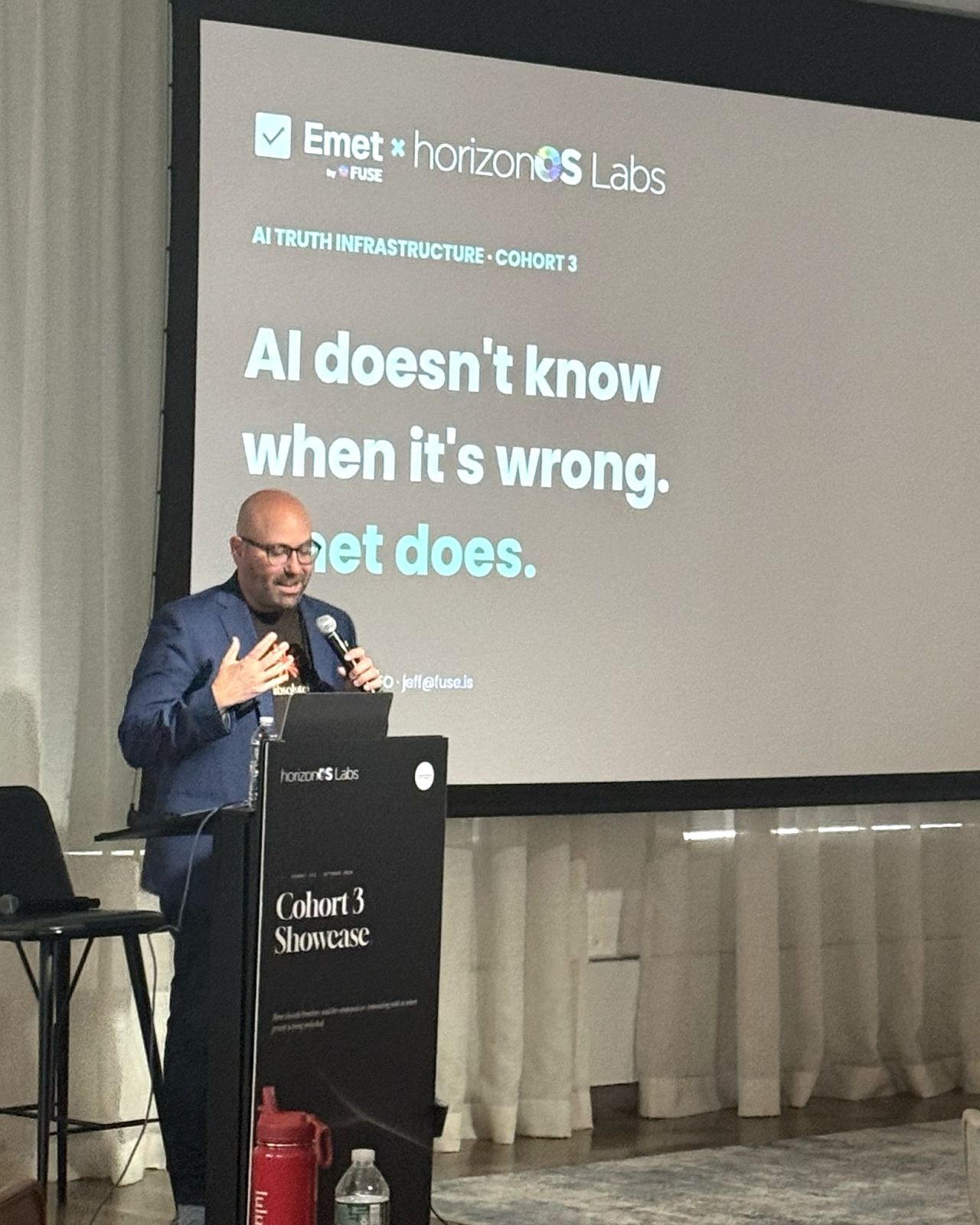Jeff Cherkassky, CEO of FUSE + Emet · HorizonOS Labs Cohort 3 showcase · Oct. 1, 2026.
## A major milestone for FUSE + Emet Joining Horizon Media's HorizonOS Labs as a Cohort 3 partner is a major milestone for FUSE + Emet. Selected from more than 600 submissions, we're proud to bring truth infrastructure for AI data systems into Horizon's open technology ecosystem. It's an exciting moment for our team—and for our mission to make AI-generated analysis worthy of trust. Thank you to John Koenigsberg, Bob Lord and the Horizon Media team. And congratulations to the other ten companies in Cohort 3—we're delighted to be joining you. ## About Horizon Media Holdings Horizon Media Holdings is the privately held parent company of Horizon Media, the largest U.S. media agency and the largest independent globally. Its portfolio spans media, marketing, commerce and technology. ## Put verification on your AI roadmap If your teams use AI to generate data analysis, we'd love to talk about how you check the answers before acting on them. **[Explore Emet at Emet.so](https://emet.so)** to learn more about truth infrastructure for AI data systems, or **[book a conversation with FUSE](https://www.fuse.is/demo)**. You can also [see Horizon Media's announcement on LinkedIn](https://lnkd.in/p/gqXuy2Ky). --- # Are Dashboards Dead? Why We Built One Into an AI Chat Product > Users asked FUSE for answers before they knew the question. We rebuilt the familiar Google board so every number carries a verdict and a tap starts the investigation. URL: https://www.fuse.is/blog/are-dashboards-dead Published: 2026-09-07 Category: Resources Author: Rafael Kovashikawa (https://www.fuse.is/blog/authors/rafael-kovashikawa) > Are dashboards dead? No. The passive one is: the board you build once, forget to open, and that never says which number matters today. FUSE users asked for the opposite, something proactive for the mornings they did not know what to ask the AI. So we built a board that reads your Google accounts, gives every number a verdict, and turns into a question the moment you tap it. ## Why an AI chat product needed a dashboard A chat box is a great tool when you know the question. Many mornings you do not. You open FUSE, the cursor blinks, and the honest answer to "what should I ask?" is "whatever went wrong overnight, and I have no idea what that is." That was the feedback, almost word for word. Customers liked the answers. What they wanted was a proactive experience: something that looks first and tells them where to dig, so the first question of the day is not a guess. A list of suggested questions helped a little, but a generic list cannot know that your paid clicks stopped turning into sessions on Tuesday. So we built the thing a chat product is supposed to make obsolete. We built a dashboard. 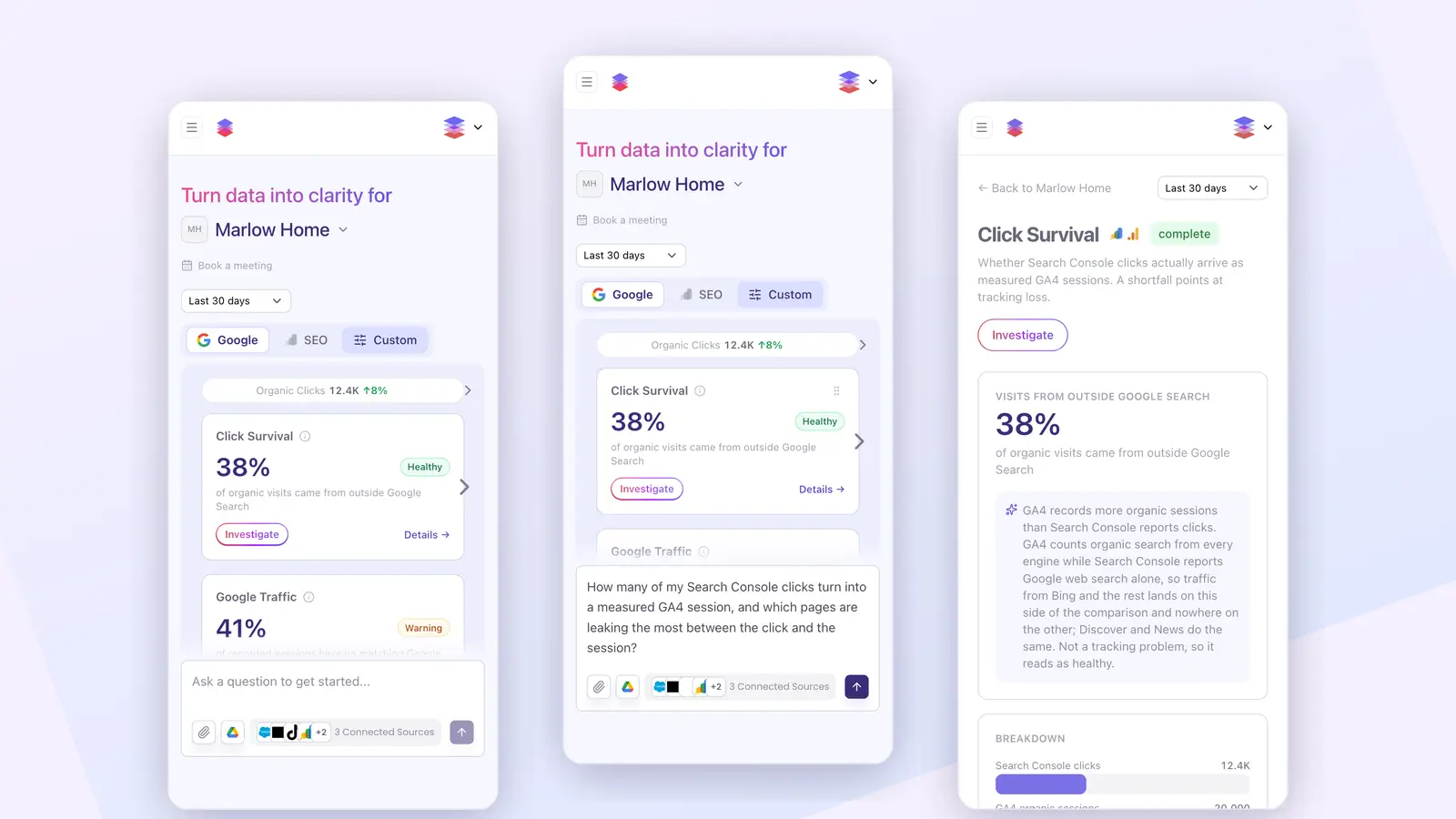 *Twenty-three seconds on a phone: the Google board, the SEO board, a tap on Investigate, the question written for you, and the reporting behind the number.* ## The passive dashboard is dying, not the dashboard Every few months someone declares the dashboard dead. HFS Research called them "relics of a bygone era." Databricks put it sharpest: a dashboard is a fixed question, asked over and over, with new data plugged in. The question never changes. They have a point, but the headline is wrong. There are two jobs hiding inside the word "dashboard," and only one is in trouble. The first job is monitoring. Everyone looks at the same picture at the same time: the weekly revenue review, the month-end check. This job is alive and well, and a chatbot is worse at it. You want the same number in the same spot every Monday, not a fresh answer that drifts. The second job is investigation. A number moves and someone has to find out why. That work almost never happens on the dashboard. It spills into spreadsheets, email threads and a meeting that eats an afternoon. The dashboard that is dying is the one built for the second job but equipped only for the first. It shows the what and never the why. About 25% of employees actively use the business intelligence tools their company pays for, and that figure has barely moved in seven years, according to BARC and Eckerson. You may have seen a scarier number, "60 to 70% of dashboards go unused, per Gartner." Do not repeat it. It traces back to a social post, not a Gartner publication. The honest figure is bad enough. ## What we kept from the Looker Studio board Almost every marketing team has the same board somewhere, usually in Looker Studio: Google Ads, GA4 and Search Console on one page, a date picker at the top, a row of headline numbers, a few trend charts. There is nothing wrong with it. The sources are the right sources and the layout is familiar to everyone who has ever run a campaign. So we kept the shape. The FUSE board reads the same three Google accounts. It has a strip of headline numbers along the top, a date range of the last 7, 30 or 90 days with 30 as the default, and the same numbers waiting on every open. It lives on the chat welcome screen, so it is the first thing you see, not a page you have to remember to visit. One honest trade-off before going further. If what you need is pixel-level control over every chart, Looker Studio is still the better tool, and it is free. The FUSE board is not a chart builder. It is a set of questions we chose to ask on your behalf. ## Every card carries a verdict, not just a number Here is the part the Looker Studio board never did. Each card on the FUSE board is a question, and the number on it comes with an answer. Take a card called Click Survival. It compares the clicks Search Console reports with the organic sessions GA4 records, because a gap between the two usually means tracking is losing visitors. On a demo workspace it reads 38% of organic visits came from outside Google Search, with a green Healthy chip. A board that colors by direction would have flagged the mismatch as a problem. FUSE explains why it is not: GA4 counts organic search from every engine while Search Console reports Google web search alone, so visits from Bing, Discover and News land on one side of the comparison and nowhere on the other. Not a tracking problem, so it reads as healthy. Next to it, Google Traffic shows 41% of recorded sessions with no matching Google click, and that one wears a yellow Warning chip. Two cards, two numbers, two different meanings, and the colors already tell the story before you read a word. 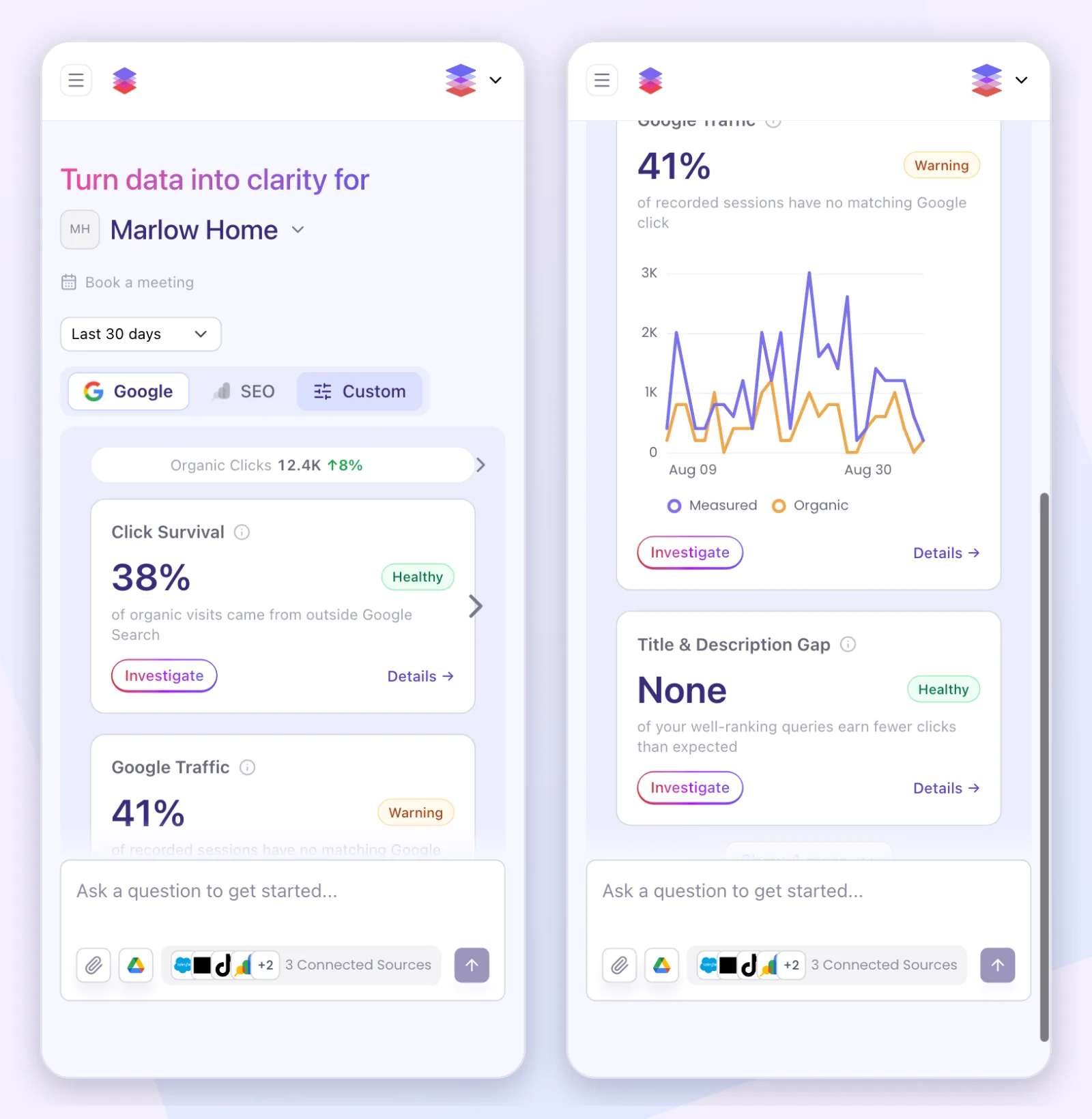 ## Tap a number and FUSE starts asking why When a card catches your eye, tap Investigate. The card's question flies into the chat box, already written. For Click Survival it reads: "How many of my Search Console clicks turn into a measured GA4 session, and which pages are leaking the most between the click and the session?" Send it and FUSE goes to work on the live accounts. You go from noticing to investigating without switching tools, exporting anything, or booking a call. Tap Details instead and you get the long version of the card: the headline, the breakdown behind it, and a reporting section that spells out the window measured, the period it was compared with, and which accounts fed it. If you want to know how FUSE reaches those accounts to answer the follow-up, we wrote that up in [connecting Claude to your marketing data](https://www.fuse.is/blog/connect-claude-to-marketing-data-mcp). 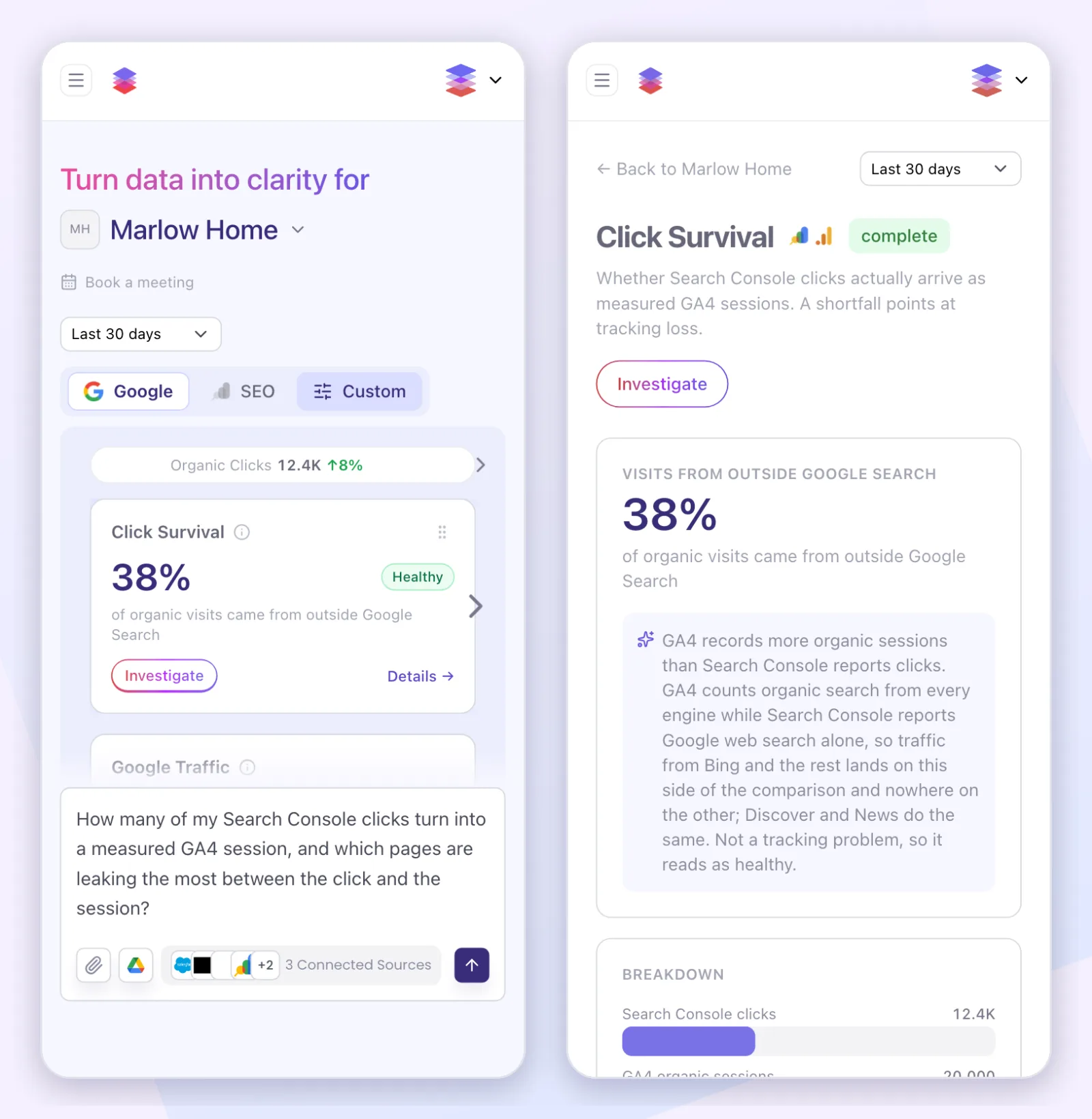 ## The SEO board reads your rankings the same way The second tab is the SEO board. It combines Search Console with ranking data from a search data provider and asks the questions an SEO lead would ask on a Monday. AI Search Exposure reports the share of your estimated organic visits that come from searches showing an AI Overview. On the demo workspace that is 71%, with a Warning chip, because those are the visits most at risk of never clicking. Page-One Visibility Trend tracks how many of your ranked keywords sit on page one, and Estimated Traffic Trend shows the monthly organic visits your current rankings earn. Every one of those cards has the same Investigate button and the same detail page as the Google cards. 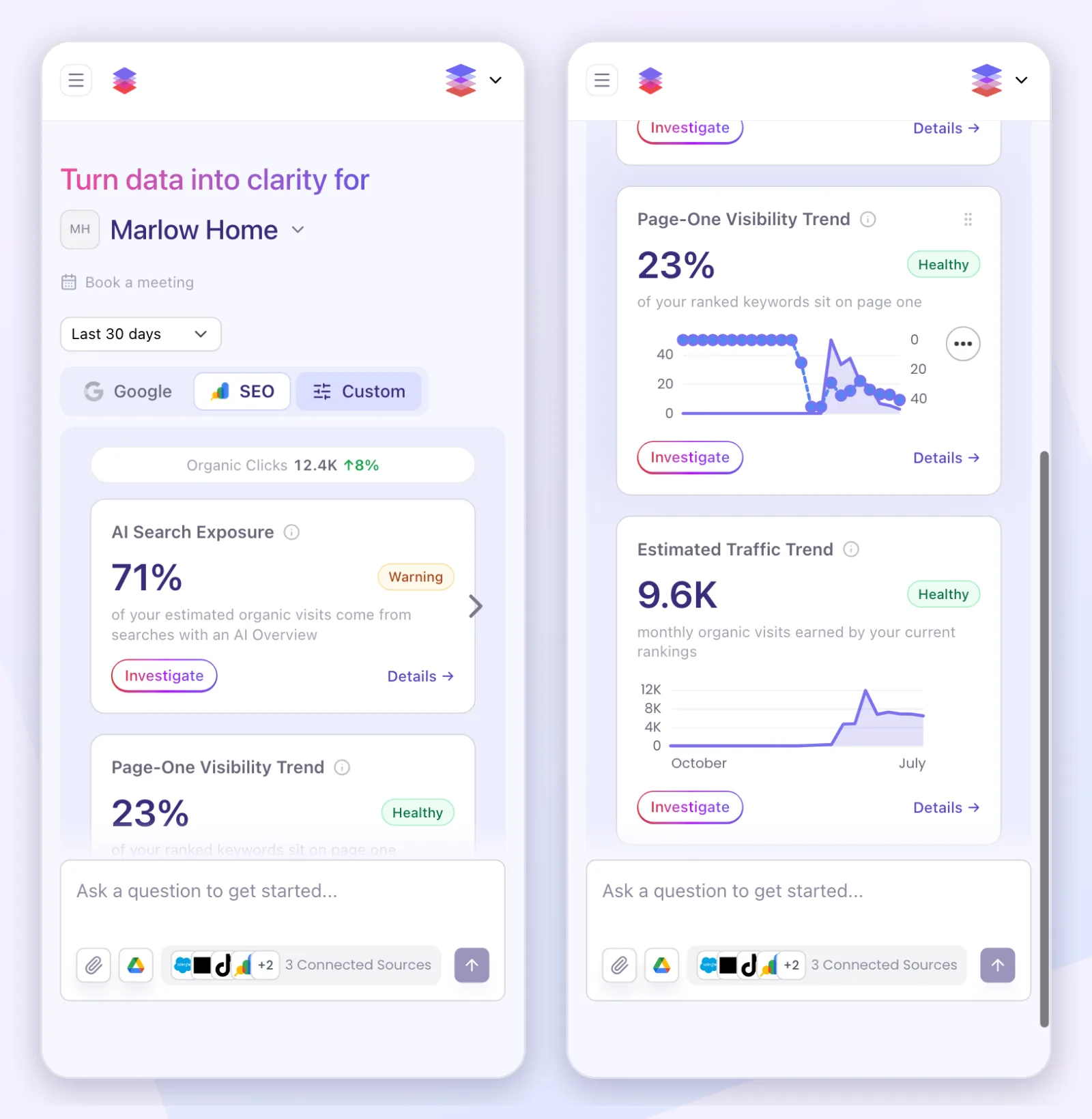 ## Each board is built for its workspace This is where the word "custom" earns its place, and it is worth being precise about what it means today. The cards on a board depend on what that workspace has connected. A workspace with only Search Console gets a different layout from one with Search Console, Google Ads and GA4 together, and we author each of those layouts by hand rather than showing empty cards for accounts you never connected. An agency with a workspace per client sees a board shaped by each client's accounts, not one template with gaps in it. Within a board, you can drag cards into the order that matches how you work, and change the date range for every card at once. The third tab, Custom, is where we build boards around an account's own questions: a card for the metric your monthly report is judged on, or a comparison your team argues about every quarter. Today that starts with a conversation with us rather than a drag-and-drop editor, and the tab says so. The numbers are rebuilt every night. If you open a board whose numbers have gone stale, FUSE shows what it has and refreshes in the background, and the chat box is never locked while it does. It also runs on your phone. Every screenshot in this post was taken at phone size on a demo workspace, because the [analysis that created the FUSE mobile beta](https://www.fuse.is/blog/fuse-found-our-mobile-gap) showed us how many people arrive that way. 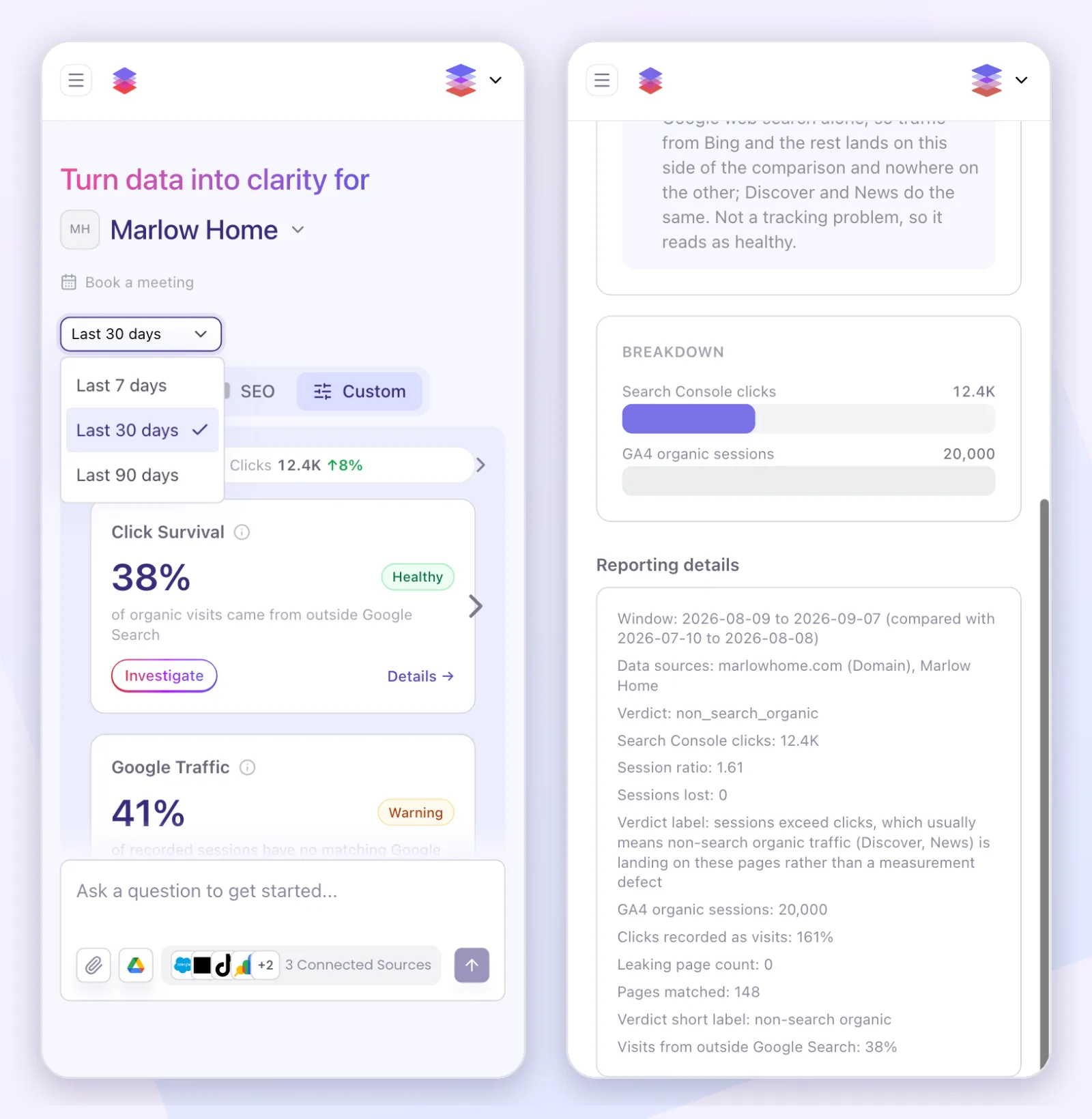 ## The honest limits of both sides The board is the Google view. It reads Google Ads, GA4 and Search Console, plus the ranking data behind the SEO tab. Meta, TikTok, Klaviyo, Shopify and Salesforce are not on it. You ask about those in the chat, and the answers come from the same connected accounts. The people who say "just replace it all with AI" are wrong too. A dashboard number is fixed: the same question returns the same number every time. An AI answer can vary, and it can state a wrong number with total confidence. As Donald Farmer put it, "I'd rather have a metric that's visibly wrong than one that's confidently wrong." So keep the monitoring layer. It is the thing you check every week, and it should not surprise you. Put investigation on top, because that is the job an open-ended tool does better. FUSE answers are built from live data pulled directly from your connected platforms through their official APIs, not from a model's memory. Every analytical response traces back to a recorded tool call. If you are still choosing that tool, our [2026 guide to AI marketing tools](https://www.fuse.is/blog/best-ai-marketing-tools) is the place to start. ## Questions we get ### Are dashboards dead? Dashboards are not dead. The passive dashboard is dying: the one you build yourself, have to remember to open, and that shows a wall of numbers without saying which one changed or why. The shared weekly monitoring view is alive and well, and an AI chat is worse at that particular job. ### Why did FUSE add a dashboard to an AI chat product? FUSE added a dashboard because customers asked for a proactive experience. Chat works when you know the question, and many mornings you do not. The board looks first, gives every number a verdict, and turns into a written question when you tap it, so the first question of the day is never a guess. ### Which accounts does the FUSE dashboard show? The FUSE dashboard shows Google Ads, GA4 and Google Search Console on the Google tab, and Search Console plus ranking data on the SEO tab. Meta, TikTok, Klaviyo, Shopify and Salesforce are not on the board yet. You can ask about all of them in the chat. ### Can the FUSE dashboard be customized for my account? The FUSE dashboard is shaped by each workspace: the cards depend on which Google accounts are connected, you can reorder them and change the date range, and the Custom tab is where we build boards around an account's own questions. Custom boards start with a conversation with us, not a self-serve editor. --- # FUSE Found the Users We Were Losing on Mobile > A use case from our own workspace: FUSE read our Google data, found the mobile visitors we were turning away, and changed the product roadmap. URL: https://www.fuse.is/blog/fuse-found-our-mobile-gap Published: 2026-08-31 Category: Resources Author: Rafael Kovashikawa (https://www.fuse.is/blog/authors/rafael-kovashikawa) > Half of the Google clicks that reached FUSE.is in 2026, organic search and paid combined, came from phones. FUSE surfaced that from our own connected accounts, along with the part that stung: mobile visitors engage almost as well as desktop visitors, then convert at a fraction of the rate, because the product told them to come back on a desktop. That finding is why the FUSE mobile beta now exists. We were paying for mobile clicks and then telling the people who clicked to come back on a desktop. Nobody caught it in a meeting. We caught it by asking FUSE about our own traffic, in the same workspace our customers use, and the answer changed our roadmap. This is what the product found, with every number counted against a named source. ## Three Sources, Three Different Answers We asked in plain language and read three connected sources. Every share in the table covers 2026 so far, January 1 to August 27, and the size of the answer depends entirely on which door people came through: | Source | What is counted | Mobile share, 2026 | | --- | --- | --- | | GA4 | Sessions on FUSE.is | 15.5% | | Google Search Console | Clicks from Google search | 24.3% | | Google Ads | Paid clicks | 73.2% | 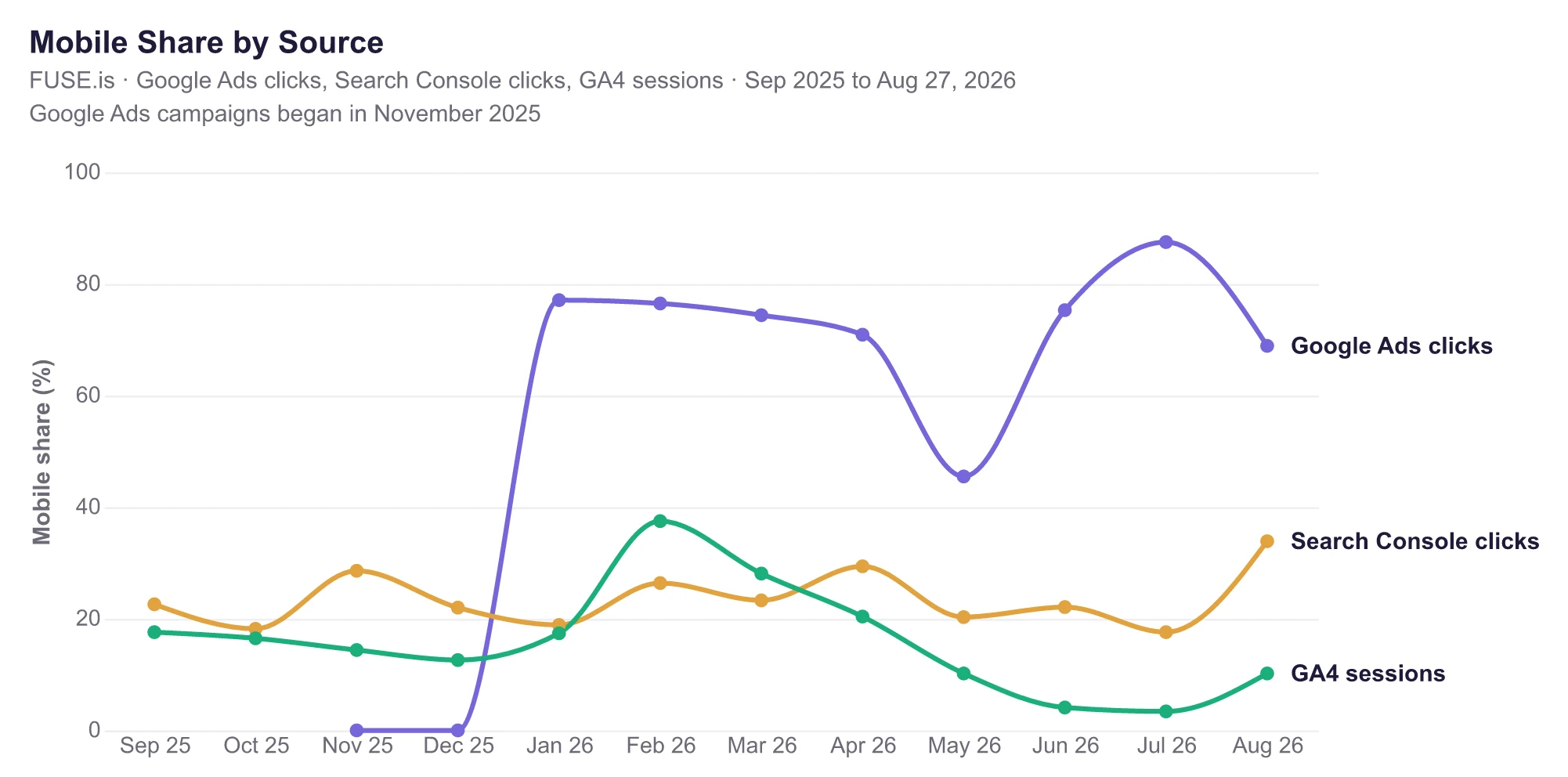 Three lines, three denominators, and only one of them holds steady. Organic clicks stayed between a fifth and a third every month, back through late 2025. GA4 sessions is the line that falls away: mobile sat in the mid-teens through late 2025, peaked near 38% in February, then thinned to single digits by summer. Paid is the line that flipped: when the campaigns started in late 2025 they served almost nothing to phones, and by 2026 they were sending most of their clicks there. That gap between who arrives and who stays is exactly why a top-line look at recent sessions hid the mobile audience. Blend the two Google click sources, organic and paid together, and half of the clicks reaching FUSE.is this year came from phones. That is a share of Google clicks, not of all visitors, and naming that denominator is the difference between this number and the 15.5% session share above. Two smaller findings came with it. Mobile searchers who see FUSE in Google results click at roughly twice the rate of desktop searchers over the last 90 days. And our paid campaigns sent nearly three quarters of this year's clicks, 73.2%, to the one kind of device the product did not support. ## The Number That Stung Engagement told us mobile visitors were not bouncing. In the 90 days to August 27, the GA4 engagement rate, the share of sessions that count as engaged, was 77.8% on mobile versus 79.3% on desktop. Then the funnel fell off a cliff: mobile accounted for 5.2% of those sessions but only 2.4% of key events, GA4's name for the actions we count as wins. Visitors who engage normally and then stop converting are not a traffic quality problem. They are hitting a wall. Ours was literal: a screen asking them to come back on a desktop. FUSE flagged the pattern without being asked about mobile at all; the gap between healthy engagement and collapsed key events was sitting in the answer. ## The Decision the Data Made FUSE now runs on the phone. The mobile beta is live: open the same address in your phone browser and the workspace reshapes to the screen in your hand. It wears the beta label while it earns the bar the desktop product set. The order of events is the point. The roadmap did not change because someone advocated for mobile in a planning meeting. It changed because the product read the accounts we already had connected and put the loss in plain sight. ## We Did Not Build a Report to Find This Everything above came from asking one plain-language question in a workspace with Google Ads, GA4, and Search Console connected. No report building, no export, no spreadsheet. This is the job our [2026 guide to AI marketing tools](https://www.fuse.is/blog/best-ai-marketing-tools) calls the decision layer: reading what is working across the accounts you already run. FUSE answers are built from live data pulled directly from your connected platforms through their official APIs, not from a model's memory. Every analytical response traces back to a recorded tool call. The same question works on your accounts: what share of your traffic is mobile, by source, and what do those visitors do next? If the answer looks like ours did, you will know exactly what to fix. Teams that live in Claude can [ask it through their connected accounts there](https://www.fuse.is/blog/connect-claude-to-marketing-data-mcp). ## Questions We Get ### Can FUSE break down my traffic by device? FUSE breaks down traffic by device for any workspace with Google accounts connected. Ask in plain language and it reads sessions by device from GA4, clicks and impressions by device from Search Console, and paid clicks by device from Google Ads, then compares what those visitors did next. ### Does FUSE work on a phone today? The FUSE mobile beta is live. Open FUSE in your phone browser at the same address you already use; there is no app to install. The analysis in this article is the reason the mobile experience exists. It carries the beta label while polish continues, and the full launch gets its own announcement. --- # Best AI Marketing Tools in 2026: Compared by Use Case > The 2026 edition of our tools guide: which AI assistant, content tool, email platform, and decision layer to pick for each marketing job, and where each one stops being worth it. URL: https://www.fuse.is/blog/best-ai-marketing-tools Published: 2026-08-28 Category: Resources Author: Rafael Kovashikawa (https://www.fuse.is/blog/authors/rafael-kovashikawa) > The best AI marketing tool in 2026 depends on the job. ChatGPT and Claude are the strongest general assistants for research and drafts. Jasper fits teams producing branded content at volume. Surfer covers content that must rank. Klaviyo AI leads lifecycle email for ecommerce. FUSE is the pick when the question is "what is working and what should we do next", answered from your own live campaign data. Most teams do not have a tool problem. They have a too-many-tools problem. Hundreds of thin AI products launched in the last two years are now disappearing, and the ones that survive are the ones attached to real data or a real workflow. This guide compares the survivors by the job you would hire them for, and it is honest about where each one stops being worth the money. ## What Changed in AI Marketing Tools in 2026 Three shifts define this year's list. First, the leading tools stopped being suggestion boxes. They now carry out multi-step tasks on their own: drafting a campaign, building the audience, and scheduling the send as one flow. Vendors call this "agentic". What it means for you is that the tool finishes work instead of proposing it. Second, pricing moved from flat seats to credits and metered actions. A sticker price no longer predicts your bill. Before you commit, ask every vendor the same question: what does one month of our actual volume cost? Third, visibility got redefined. Buyers now ask ChatGPT and Gemini for recommendations, so tools started tracking how often a brand appears inside AI answers, not just in Google rankings. If your content team measures only rankings, they are measuring a shrinking share of discovery. ## ChatGPT, Claude, and Gemini: The Best General Assistants Every marketing team should run at least one general assistant, and for most the answer is ChatGPT Plus at $20 a month. It remains the fastest first stop for research summaries, campaign brainstorming, and draft copy. Our guide to [ChatGPT for marketing strategy](https://www.fuse.is/blog/chatgpt-for-marketing-strategy-unlocking-ai-driven-campaigns) covers the prompt patterns that separate useful output from generic filler. Claude is the stronger writer for long, structured pieces, and it has a practical edge for marketing teams: you can [connect Claude directly to your marketing data](https://www.fuse.is/blog/connect-claude-to-marketing-data-mcp) through FUSE, so its answers draw on your real campaign numbers instead of general knowledge. Gemini is the best of the three at pulling in current web information, which makes it a solid research engine. The honest limit: none of these, used alone, can see your private performance data. They help you write and think. They cannot tell you which of your campaigns made money last week. ## Jasper: Branded Content at Volume Jasper earns its price when a team ships a lot of content and needs every piece to sound the same. Its brand voice profiles keep ten writers from drifting into ten styles, and it can turn one brief into a full set of launch assets. When to skip it: if you publish a few pieces a month, a general assistant with a good voice prompt does the same work for a fraction of the cost. Jasper is a volume tool. Below a certain volume, it is an expensive habit. ## Surfer and Semrush: Content That Has to Rank Surfer scores your draft against the pages that already rank for your target search, flagging missing terms and structure gaps while you write. It does not replace the writer. It replaces the audit you would otherwise run after publishing, when fixing things is more expensive. Semrush bundles research, audits, and content help into one login, and its newer feature matters for 2026: it tracks how your brand shows up inside AI-generated answers. If your buyers ask chatbots for recommendations, that report tells you whether you exist in them. Both tools see search in isolation. What neither shows is how organic movement lines up with your ad spend and revenue, which is where a decision layer comes in. ## Klaviyo AI: Ecommerce Email and SMS For ecommerce brands, Klaviyo AI is the strongest case of AI living inside the tool that already does the work. It finds a revenue opportunity, builds the audience, drafts the message, and schedules the send in one place. There is no export step between the idea and the live campaign. It pairs naturally with a decision layer: FUSE reads Klaviyo alongside your ads and store data, so you can see [what your email program contributes](https://www.fuse.is/blog/connect-klaviyo-fuse-ai-email-sms-analytics) next to what your ads contribute, in the same conversation. ## HubSpot Breeze: The All-in-One Suite HubSpot's Breeze layer is the broadest suite on this list: content help, lead scoring, and agents that work against the same customer records your sales team uses. If your company already lives in HubSpot, Breeze is the obvious upgrade. The honest limit is cost and commitment. The professional tier is a four-figure monthly decision once seats and credits are counted, and the value depends on adopting the whole suite. Buying HubSpot for the AI alone is buying a house for the kitchen. ## FUSE: The Decision Layer on Your Live Data Every tool above helps you produce more. None of them answers the question that decides budgets: what is actually working? That is the job FUSE is built for. You connect the accounts your team already runs, including Google Ads, GA4, Search Console, Meta Ads, TikTok Ads, Shopify, Klaviyo, and Salesforce, and then ask questions in plain language. Which campaigns made money last week. Where is spend rising faster than revenue. What should we cut. FUSE answers are built from live data pulled directly from your connected platforms through their official APIs, not from a model's memory. Every analytical response traces back to a recorded tool call. For campaign analytics specifically, see how [FUSE compares to Mixpanel](https://www.fuse.is/blog/fuse-is-the-ai-native-mixpanel-alternative-for-campaign-analytics). The search side is part of the same conversation. FUSE reads your Google Search Console data live, so you can ask which searches are gaining impressions but losing clicks, which pages slipped this month, and how organic traffic moved next to paid spend and store revenue. The SEO tools above answer search questions on their own island. FUSE answers them next to the money. When a point tool is the better buy: if your bottleneck is producing content, buy a content tool first. FUSE does not write your ads, and a team that has not yet filled its channels with work will get more from Jasper or a general assistant than from a decision layer. FUSE starts paying for itself when the question shifts from "what should we make" to "what should we do". ## How to Choose Your 2026 Stack Start from the job that costs the most hours today, not from a feature list. Most teams land on two or three tools: one general assistant, one tool for their main production channel, and one layer that reads results. Test each on a month of real work before adding the next. And ask every vendor for the metered cost of your actual volume, because in 2026 the sticker price is the least informative number on the page. ## Frequently Asked Questions ### What is the best AI tool for marketing in 2026? The best AI marketing tool in 2026 depends on the job to be done. ChatGPT and Claude lead general research and drafting, Jasper leads branded content at volume, Surfer leads search-focused content, Klaviyo AI leads ecommerce email, and FUSE leads performance decisions made from your own live campaign data. ### Is ChatGPT enough for a small marketing team? ChatGPT is enough for a small team's writing and research, and at $20 a month it should be the first tool anyone buys. It is not enough for performance decisions, because it cannot see your ads, store, or email accounts, so it can only give general advice about your specific spend. ### What is the difference between an AI writing tool and an AI decision tool? An AI writing tool such as Jasper produces content: ads, emails, and posts in your brand voice. An AI decision tool such as FUSE reads the live results of that content across your connected accounts and answers what is working, what is not, and what to change next. ### How do AI marketing tools charge in 2026? Most AI marketing tools in 2026 charge through credits or metered actions on top of a base subscription, so the advertised price rarely matches the real bill. Before buying, estimate a month of your actual usage and ask the vendor what that volume costs. Treat any quote-only pricing page as a negotiation, not a price. ### Should I replace my current tools with an all-in-one AI platform? Replacing a working stack with an all-in-one platform is rarely worth it for the AI features alone. Suites like HubSpot Breeze reward teams that adopt the whole system. If your tools work, add a layer that reads across them instead of migrating everything to get one new capability. --- This is the 2026 edition. The [2025 edition](https://www.fuse.is/blog/what-is-the-best-ai-tool-for-marketing-a-comprehensive-guide-to-top-platforms-in-2025) is still available if you want to see how the field looked a year ago. --- # Read Your Databricks Warehouse in Plain English > Your team already set your numbers up in Databricks. FUSE reads them, sets them next to your marketing data, and leaves the limit on what it can touch where it belongs: with you. URL: https://www.fuse.is/blog/databricks-in-plain-english Published: 2026-08-21 Category: Integrations Author: Rafael Kovashikawa (https://www.fuse.is/blog/authors/rafael-kovashikawa) > Your team already set your key numbers up in Databricks: revenue, the way it is counted, the definitions everyone agreed on. FUSE reads those. Ask a question in plain English and the answer comes back from your own numbers, sitting right next to your Google Ads, GA4 and Meta data. FUSE can read them. It cannot change them, and the limit on what it can touch is set by you, inside Databricks. ## It reads your numbers, it does not reinvent them Your team already did the hard part. Somewhere in Databricks, "revenue" has a definition everyone agreed on: what counts, what does not, how it adds up. FUSE uses that exact definition. It does not make up its own version and hope it matches. That is the difference that saves you a bad meeting. A tool that rebuilds your numbers will, sooner or later, count something a little differently than you do, and nobody notices until two reports disagree in front of your boss. FUSE asks Databricks for the number you already defined, and Databricks answers. Same definition, every time. There is no second copy either. FUSE does not haul your data off somewhere and keep its own version going stale. Every question runs against Databricks, live. ## The number your CEO trusts, next to the channel that moved it Databricks on its own answers "what happened." It cannot tell you "what did we spend to make it happen," because it never sees your ad platforms. FUSE does. Your Databricks numbers sit in the same conversation as your [marketing data](https://www.fuse.is/blog/connect-claude-to-marketing-data-mcp): Google Ads, GA4, Meta, Klaviyo. Ask for last month's revenue by region from Databricks, then ask what each region cost on Meta, and the two land side by side. Nothing inside Databricks does this, because it is not its job. Databricks holds your own numbers. FUSE is where those numbers meet the outside spend that produced them. ## It reads. It cannot change a thing. And you hold the switch. Anyone can say "read-only." Here is how it actually holds. FUSE only ever asks to read. And the thing that enforces that is not a promise in our code, it is the permission your own team sets inside Databricks. You decide what the login FUSE uses is allowed to see, in the same place you decide it for everyone else. Give it read access only, and reading is all it can ever do. This is the same read-only stance FUSE takes with [Salesforce](https://www.fuse.is/blog/never-log-into-salesforce-again), and it is the honest version. What stops a change is your own permission system, not our word for it. ## What it does not do FUSE does not copy your data out of Databricks. There is no overnight sync and no second copy going stale. Every question runs against your live data, in Databricks. With read access only, FUSE cannot change anything. Fixing, updating, loading: those stay in Databricks, where the approvals and the history live. Reading and changing are different jobs, and they belong apart. It also needs a Premium Databricks plan or higher. The features this relies on were never on the basic tier, which Databricks is retiring anyway, so this is a floor, not a limit FUSE invented. ## For whoever owns your Databricks setup Forward this part. Here is what is being asked for. Nothing gets installed. FUSE reads through the same setup your reporting tools already use, with a login your team creates and controls. You decide what that login can see, in Databricks, the same place you decide it for everyone else. If that login cannot see something today, neither can FUSE. Nothing opens up because someone asked a question. ## Frequently asked questions ### Does FUSE copy my Databricks data? No. There is no scheduled sync and no second copy. Every question runs against your live data, and the answer comes back into the conversation, the way an email thread keeps what was in it. The numbers stay defined and maintained in Databricks, where they already live. ### Does FUSE need permission to change my data? No. FUSE only asks to read, and read access on the login it uses is what enforces that, inside Databricks. Your team sets it. Changing your data is neither needed nor requested. ### Does FUSE replace Databricks or its own tools? No. FUSE reads the numbers Databricks already holds and sets them next to your marketing data. Your setup, your definitions and your access rules all stay in Databricks, exactly as they are. FUSE reads that, it does not replace it. ### What happens with a very large result? Large results come back as a summary or a preview, not a data dump. FUSE asks Databricks to add things up and reads the total, rather than pulling raw records across. If a preview is not enough, narrow the question the way you would narrow a report: a date range, one region, one owner. ### Which Databricks plan do I need? Premium or higher. The features this relies on were never on the basic tier, which Databricks is retiring anyway. A Premium or Enterprise workspace on AWS, Azure or Google Cloud works. ## The rest of your data, in the same place You already set your numbers up in Databricks. That was the hard part, and it was the right call. FUSE does not ask you to redo it anywhere else. It reads what you built, and sets those numbers next to the marketing data Databricks was never meant to hold. One conversation. Your Databricks numbers, your ad platforms, your email tool, side by side. Ask in plain English, and the limit on what comes back stays exactly where you set it, inside Databricks. --- # How To Never Log Into Salesforce Again > You already stopped opening Salesforce just to look things up, but three things still make you open the tab. Here is how FUSE closes all three, inside the conversation you are already having. URL: https://www.fuse.is/blog/never-log-into-salesforce-again Published: 2026-08-18 Category: Integrations, MCP Author: Rafael Kovashikawa (https://www.fuse.is/blog/authors/rafael-kovashikawa) > You already stopped opening Salesforce just to look things up. You ask, the answer comes back. You did not stop opening it. Three things still make you open the tab: a number your ad platform disputes, a field name only your own Salesforce can translate, and a list somebody wants in a spreadsheet by Thursday. This is about closing all three, inside the same conversation you are already having. In April, Salesforce co-founder Parker Harris opened a product announcement with a question most companies would never ask about their own product: ["Why should you ever log into Salesforce again?"](https://www.salesforce.com/news/stories/salesforce-headless-360-announcement) He meant it. And if you took him up on it, you already know the feeling. You switched on Salesforce's own free connection to Claude, and now you type "what closed last week in the West region" and the answer is there before your coffee gets cold. No tabs. No filters. No report to build first. So here is the honest question. When do you still open Salesforce? Ask around your team and you get the same three answers. There is a number the ad platform swears by and the CRM flatly disagrees with. There is a field name that reads like a license plate, and only your own Salesforce knows what it means. And there is a list somebody needs in a spreadsheet by Thursday. FUSE runs on the exact connection you already switched on. It exists to close those three. Here is what the first one looks like. ## The tab you already closed Salesforce made its own connection generally available in April 2026. Six tools, all of them read-only. You ask, it looks, it answers. You switched it on months ago. The lookup tab closed and stayed closed. FUSE runs on that same connection. Not a copy, not a workaround, the one you already approved. Ask about a deal and the search happens on Salesforce's servers, exactly where it happened before. What changes is where the answer lands: in the conversation you were already having, next to everything else you asked this morning. The part your admin will want first is the one-time setup. When you [connect Salesforce to FUSE](https://www.fuse.is/blog/salesforce-mcp-integration), your FUSE account manager sends a private install URL. Your admin pastes it into Salesforce, chooses "Install for Admins Only," and activates the read-only server. You are pointing at a door Salesforce already built and already guards. Salesforce runs the SOQL. FUSE never runs code inside your Salesforce. Same door, same lock, same key. ## The number your ad platform disputes It is Thursday. The meeting is at four. You ask how many leads last month's campaign brought in, and Google Ads answers: 1,240. That is a real number. It is also not the number you were asked for, because the person asking meant leads a salesperson actually picked up. The old move is to open Salesforce, build a report, get 890, and spend the next forty minutes deciding which one goes on the slide. Or worse, put both on the slide and let the meeting decide. The new move is five words. You write: "Now compare that to Salesforce." That is the whole thing. You name the systems. FUSE does not guess which two you meant, and you would not want it guessing. You know your business. You said Google Ads, you said Salesforce, so those are the two it goes to. What comes back is not two numbers side by side. It is the reason they differ. Of the 350 in between, 210 were form fills from a landing page that routes to support instead of sales. The other 140 were the same people filling the form in twice, merged on the way in. You no longer have a discrepancy. You have a sentence. "Google Ads reports 1,240 form fills. 890 became working leads. The rest is a support form and duplicates, and here is the split." You did not open Salesforce. You did not export two files at seven in the evening and line them up by date. The numbers above are invented. The argument is not. Four o'clock arrives and you are the person who can explain why the two systems disagree, instead of the person apologizing for it. That is a different meeting. Same you. ## The field name nobody outside your team can read Every Salesforce has a few dozen fields somebody added on a Tuesday in 2019. `Lift_App_Opens_Pct__c` You know what that means because you were in the room. The new analyst does not. Neither does the deck. So you open the tab. Not to look anything up. To translate. Ask FUSE the same question and the column comes back labelled: **CTV Lift: App Opens %** That is not us tidying it. That is the label your admin typed when they built the field, arriving exactly as written, punctuation and all. Your customizations stay yours, in your own words, including the ones only your team would ever use. Second tab, closed. ## The list somebody wants in a spreadsheet by Thursday Somebody in the meeting says, can I get that as a list. Every account in the territory, owner, stage, last touch. By Thursday. That used to mean a report, an export, a cleanup pass and an email. Now it comes back as a table in the conversation: | Account | Owner | Stage | Open amount | Last touch | | --- | --- | --- | --- | --- | | Northgate Retail Group | J. Alvarez | Negotiation | 82,400 | 14 June | | Rivermark Media | P. Chen | Proposal | 61,000 | 2 June | | Halden Beverage Co | J. Alvarez | Negotiation | 55,750 | 29 May | Sort it by any column. Export it when it looks right. The caps are flat: 5,000 rows or 100 KB. A very large result comes back as a preview of the first 50. The reason the export arrives at all is unglamorous plumbing. A dropped connection refreshes and retries once, and the backoff respects the server instead of hammering it. A session that hangs is caught within 15 seconds and rebuilt. You see none of that. You see a table at 4:40 on Wednesday, and Thursday stops being a date on your calendar. ## Read-only is not a promise, it is three shipped decisions Anyone can say read-only. Here are three things that had to be built a particular way, and were. One. The search language has no way to write anything down. No create, no update, no delete. Reading is its entire vocabulary. The sentence that would change a record, meaning a contact, a deal, an account, is not a sentence that language can form. Two. The read-only side of Salesforce's connection offers no tool that changes anything. Nothing behind a flag, nothing to call. Three. The OAuth scope FUSE asks Salesforce for does not include writing. FUSE requests two permissions and nothing else. Any one of those alone would stop a write. All three have to agree, and two of them are not ours to overrule. Paste this to your admin: FUSE reads through Salesforce's own connection, asks for two permissions, and has no way to create, change or delete a record. ## For your Salesforce admin (everyone else can skip this) Forward this part. Here is what they are being asked to approve. Your FUSE account manager sends a private install URL. Paste it into your Salesforce org, click Install, and choose "Install for Admins Only." Then activate Salesforce's `platform/sobject-reads` server. Salesforce runs the search on its own servers and hands back the result. FUSE never runs code inside your Salesforce. FUSE can read. It cannot create, change or delete a single record, meaning a contact, a deal, an account, anything at all. Three separate things hold that line: two of them are Salesforce's own design, and the third is a choice we made and did not build a switch for. And it can only see what the Salesforce login your team connected can see. If that login cannot open a record today, neither can FUSE. Nothing widens because you asked a question. ## Frequently asked questions ### Does FUSE replace Salesforce's own connection? FUSE does not replace Salesforce's own connection. FUSE is a client of it. You switch the connection on in Salesforce, Salesforce runs the search on its own servers, and the result comes back. FUSE puts that result into a conversation alongside your other systems. The Salesforce side works the way it already worked. ### Can Salesforce's own connection reach Google Ads or GA4? Salesforce's own connection reaches Salesforce and nothing else. It cannot see Google Ads, GA4, Meta, Klaviyo or Shopify. That is the design, not a gap. FUSE is where those sit side by side: you name the systems you want compared, and each is asked through its own connection. ### Is it really read-only? Three separate things hold that line, and two of them are Salesforce's, not ours. The search language has no way to write anything down. The tools on the Salesforce side change nothing. The permissions FUSE asks for do not cover writing. FUSE can read. It cannot create, change or delete a single record. ### Whose Salesforce access does FUSE use? FUSE sees what the Salesforce login your team connected can see, and not one field more. If that login cannot open something today, neither can FUSE. Nothing widens because a question was asked. The place to change what FUSE reaches is Salesforce, where that control already lives. ### What happens with a very large result? A very large result comes back as a preview of the first 50 entries. A normal result arrives as a sortable, exportable table, capped at 5,000 entries or 100 KB. If the preview is not enough, narrow the question the way you would narrow a report: a date range, one region, one owner. ### Does FUSE copy my Salesforce data? FUSE does not copy your Salesforce data. There is no nightly sync, no warehouse, no second copy sitting somewhere waiting to go stale. Each question goes to Salesforce and Salesforce answers it. The results you asked for stay in the conversation, the way an email thread keeps what was in it. ## The tab that stays open Now the fourth reason, and it does not close. Anything that changes a record belongs in Salesforce. Moving a deal to won, fixing a contact, logging a call. Those are decisions, they have your name on them, and they belong where the approvals and the history live. FUSE cannot do any of it and is not trying to. Reading and deciding are different jobs. Keep them apart on purpose. Everything before the decision is the part that moves. Your Salesforce sits in one conversation next to Google Ads, GA4, Meta, Klaviyo and Shopify. Twelve connected systems, one question at a time. Columns come back with the names your own team wrote. Results come back as tables you can sort and export. You already stopped logging into Salesforce to look things up. This is the rest of that. ["Why should you ever log into Salesforce again?"](https://www.salesforce.com/news/stories/salesforce-headless-360-announcement) Parker Harris asked it first, about his own product. Our answer is: to change something. Everything else, just ask. --- # Salesforce MCP: How the FUSE Integration Actually Works > A technical account of FUSE's Salesforce MCP integration: what it reads, what it cannot do, which six tools it exposes, and how it keeps a large org schema out of the model's context window. URL: https://www.fuse.is/blog/salesforce-mcp-integration Published: 2026-07-27 Category: Integrations, MCP Author: Rafael Kovashikawa (https://www.fuse.is/blog/authors/rafael-kovashikawa) > FUSE's Salesforce MCP integration is read-only, and read-only limits what it changes rather than what it reaches. It traverses standard objects, custom objects, custom fields and the relationships between records, including the parent-child paths an enterprise pipeline is built from, through six read-only tools, with Salesforce executing every query on its own infrastructure. What it does not do is write: no create, update or delete, and no copy of your CRM. Most write-ups of Salesforce MCP stop at "connect it and ask questions." That is the easy half. The hard half is what happens when an org with four hundred custom fields meets a model with a finite context window, and nothing re-checks the number that comes out. This is how the integration is actually built, specific enough to argue with. ## What It Does and Does Not Do Read-only limits what FUSE can change, not what it can reach. Those are unrelated properties, and conflating them is the most common misreading of this integration. What it reaches is the whole structure: standard objects, custom objects, custom fields, and the relationships between records, including the parent-child paths a real enterprise pipeline is built from. `sf_get_related_records` walks those relationships directly, and Salesforce executes relationship queries against whatever your org contains. A pipeline running on custom stages, custom objects and renamed fields reads the same as a stock one. FUSE discovers that structure live rather than from a stored model, so an object your admin added last week is visible on the next question. What it does not do is write. No create, no update, no delete, no operational sync. It is not an ETL pipeline and it does not stage your CRM in a warehouse. FUSE's Salesforce sync refreshes exactly two things, your org name and your edition, and pulls no CRM records at all. If you need write-back, pipeline orchestration or scheduled record updates, this is the wrong tool. ## FUSE Is the Client. Salesforce Is the Runtime. FUSE does not host a Salesforce MCP server. It is a client of Salesforce's own, using the standard MCP Python SDK over streamable HTTP against `api.salesforce.com/platform/mcp/v1/platform/sobject-reads`. That endpoint carries most of the security story. It is Salesforce's read-only SObject server and the only one FUSE ever connects to. The connection targets the central Salesforce gateway rather than your org's `instance_url`, and the transport refuses any URL that is not HTTPS on a `salesforce.com` or `force.com` host, so a misconfigured environment variable fails closed. The consequence is that FUSE never runs code inside your org and never composes SOQL in some hidden query planner. The model writes the SOQL, Salesforce executes it and enforces its own object and field-level security, and a result comes back. There is no SOQL parser in the FUSE codebase to audit, because there is no SOQL execution in FUSE. ## The Six Tools Salesforce's read-only server exposes six tools. FUSE renames each with an `sf_` prefix, because `query` collides across the dozen-odd MCP servers FUSE runs at once, and rewrites all six vendor descriptions: | Salesforce tool | Exposed to the agent as | | --- | --- | | `soqlQuery` | `sf_query_soql` | | `find` | `sf_search` | | `getRelatedRecords` | `sf_get_related_records` | | `listRecentSobjectRecords` | `sf_list_recent_records` | | `getObjectSchema` | `sf_get_object_schema` | | `getUserInfo` | `sf_get_user_info` | Each rewritten description follows a fixed `USE FOR` / `DO NOT USE FOR` / `ARGUMENTS` shape. Not cosmetic: a model choosing among twelve servers' worth of tools picks badly when descriptions are vague, and the common failure is a wrong tool rather than a wrong answer. ## Read-Only Is Three Separate Mechanisms Anyone can claim read-only. Here is what holds the line, and note that two of the three are not FUSE's to overrule. The OAuth scopes FUSE requests are `mcp_api` and `refresh_token`. The broad `api` scope, which grants read and write across the REST API, is deliberately not requested. That choice has a cost FUSE chose to pay: an org-metadata lookup that would have been a simple REST call had to be rebuilt to run through MCP, because without `api` scope the REST path returns 401 in production. The server is `platform/sobject-reads`, which offers no mutating tool. And SOQL itself has no write statements. One caveat for anyone auditing this: FUSE keeps no runtime allowlist of tool names. It exposes whatever `tools/list` returns, so a seventh tool on the read-only server would surface automatically. A unit test catches that at build time, not at runtime. ## Whose Permissions the Query Runs Under This is the question enterprise buyers actually ask, and it deserves a precise answer rather than a comfortable one. Queries execute as one Salesforce user: the account that authorized the connection for your team, not the individual asking the question in FUSE. FUSE resolves a single team-level credential and reuses it across that workspace. So FUSE sees exactly what the connected login can see and not one field more. If that login cannot open a record today, neither can FUSE, and nothing widens because someone asked a question. But if you are picturing each FUSE user's own Salesforce permissions applying to their own questions, that is not what happens. Scope the connecting account accordingly. Every call is attributed to that user in standard Salesforce audit logs, and you can isolate the traffic in Event Monitoring by filtering for `APICLIENTCATEGORY = SALESFORCE_HOSTED_MCP`. Authorization uses the OAuth authorization code flow with PKCE, the only path Salesforce supports here, so there are no service accounts and no machine-to-machine flow. ## Keeping a Real Org Out of the Context Window This is where generic connectors fall over, and it is mostly an engineering problem rather than a prompting one. Results are capped twice. A tool call returns at most 5,000 rows, and the serialized payload is capped at 100,000 bytes, measured across the JSON rows and the rendered table together rather than either in isolation. Exceed a cap and the model receives a 50-row preview plus the true row count, the number withheld, and an explicit instruction not to invent the remainder. That last part matters: a truncated result that does not announce itself is how a model ends up confidently summarizing rows it never saw. Schema is the other pressure point. A full describe on every object in a large org is exactly the request that blows a context window, so `sf_get_object_schema` called with no arguments returns an org-wide index instead, roughly 80 to 90 percent smaller than describing objects individually, and the model narrows from there. Describes are cached 24 hours per org and object. Columns of raw record IDs are dropped from the rendered table too, because they cost tokens and tell a human nothing. ## Custom Objects Nothing in FUSE enumerates a fixed list of supported objects, so the handling worth knowing is in the labels. A field named `Lift_App_Opens_Pct__c` renders as "CTV Lift: App Opens %" when that is the label your admin set. Without a describe, the fallback strips the `__c` suffix and splits the name into words, degrading to "Lift App Opens Pct" rather than showing raw API names. Polymorphic columns, the kind a mixed-object search or a `Task.Who` reference produces, fall back to mechanical labels rather than stamping the wrong object's label on a column. ## What a Query Actually Does Take "which enterprise deals slipped out of this quarter, and what were they worth." The agent calls `sf_get_object_schema` with no arguments, narrows to Opportunity, writes SOQL filtering on stage, close date and record type, and Salesforce executes it. The result returns with your real field labels applied, ID columns pruned, and the payload checked against both caps. Then the numbers get re-derived. Emet, the verification layer now running on FUSE analysis, recomputes the figures against the source rather than asking the model whether it was right, and a total that does not reconcile is corrected before you read it. ## Why a Raw MCP Connection Is Not Enough Point a frontier model straight at a Salesforce MCP server and three things break. The schema arrives before the question does. A large org's describe output crowds out the reasoning, and the model starts economizing on which fields it reads. Then the failure mode gets quiet. On Berkeley's Data Agent Benchmark, untuned frontier agents score under 50 percent on realistic data questions, and around 85 percent of wrong answers come from bad planning or implementation rather than pulling the wrong data. The model finds the right records and still computes the wrong thing. Nothing in a raw MCP connection re-checks that. Third, CRM text is user-authored, which makes it an injection surface. Every result FUSE returns is wrapped in an envelope marked untrusted with a per-call random boundary, so text in an opportunity description cannot impersonate an instruction. Access was never the hard part. Translation and verification are. ## Frequently Asked Questions ### Is FUSE's Salesforce integration read-only? Yes. Three separate mechanisms enforce it: FUSE requests only the `mcp_api` and `refresh_token` OAuth scopes and never the broad `api` scope, it connects only to Salesforce's read-only `platform/sobject-reads` server, and SOQL has no write statements. FUSE cannot create, update or delete a record. ### Can FUSE map complex Salesforce pipelines and custom objects? Yes. FUSE traverses custom objects, custom fields and the relationships between records, including the parent-child paths a pipeline is built from, and it discovers that structure live rather than from a stored model. Read-only constrains what FUSE writes, not how deeply it reads. ### Does FUSE work with custom Salesforce objects? Yes, including custom fields. Nothing in FUSE hardcodes a list of supported objects, so the agent queries whatever your org contains. Custom field labels come from your org's schema, so a field your admin renamed displays with that name rather than its API name. ### Whose Salesforce permissions does FUSE use? Queries run as the Salesforce account that authorized the connection for your team, not as the individual asking the question. FUSE sees exactly what that login can see and nothing more. Scope the connecting account to the access you want FUSE to have. ### How is FUSE different from Salesforce Agentforce? Agentforce is built for autonomous and customer-facing work inside the Salesforce platform, and it can act. FUSE is read-only analysis whose distinguishing property is that Salesforce sits alongside your other sources. Agentforce reaches Salesforce data; it does not reach GA4, Google Ads, Meta or Shopify. ### How is FUSE different from Claudeforce? Claudeforce, announced in August 2026, brings Salesforce into Claude with prebuilt sales skills and can update records. It is Salesforce-centric and write-capable. FUSE is read-only and cross-source: one question spanning CRM, ad platforms and analytics, with the resulting figures verified. Different problems, and a revenue team could run both. ### Does FUSE copy my Salesforce data? No. There is no nightly sync of records, no warehouse and no second copy. FUSE's Salesforce sync refreshes only your org name and edition. Every CRM fact in an answer was fetched live from Salesforce during that turn. ### Which Salesforce edition do I need? Enterprise Edition or above, a Salesforce requirement for Hosted MCP rather than a FUSE one. Hosted MCP has been generally available since April 2026, and Salesforce is available on all paid FUSE plans. For a less technical walkthrough, see [how to never log into Salesforce again](https://www.fuse.is/blog/never-log-into-salesforce-again). --- # Connect Claude to Your Marketing Data: FUSE MCP Server > Stop exporting dashboards into your AI chats. The FUSE MCP server lets Claude, ChatGPT, and Cursor read your live Google Ads, GA4, Meta, and Shopify data and answer in plain English. URL: https://www.fuse.is/blog/connect-claude-to-marketing-data-mcp Published: 2026-07-24 Category: MCP Author: Rafael Kovashikawa (https://www.fuse.is/blog/authors/rafael-kovashikawa) Connect your marketing data to Claude in under two minutes and ask about your Google Ads, GA4, Meta Ads, and more in plain English, right where you already work. **The short version:** > ✓ Add one connector and Claude can query your live marketing data. No exports, no copy-paste. > ✓ Covers Google Ads, GA4, Google Search Console, Meta Ads, TikTok Ads, LinkedIn Ads, Klaviyo, and more > ✓ Setup takes about two minutes, with no code and no API keys to manage > ✓ Ask in plain English: _"How are my Google Ads campaigns performing this month?"_ > ✓ Read-only and scoped to your workspace, so Claude can read your data but never change your campaigns > ✓ Works with Claude, ChatGPT, Cursor, and any MCP-compatible client The server lives at `https://mcp.fuse.is/mcp`. Add it as a custom connector, sign in with your FUSE account, and start asking. ## Why Connect Your Marketing Data to Claude? FUSE has always been built on one idea: you should be able to ask your marketing data anything, in plain English, and get a real answer backed by real data. Until now, that conversation happened inside FUSE. But marketers don't live in one tab. You're drafting a board update in Claude, sanity-checking a media plan, or pulling numbers into a doc. Your marketing intelligence should follow you there. This isn't a bolt-on. FUSE's AI has run on the Model Context Protocol internally since day one. Our own agents discover each datasource's tools at runtime instead of hardcoding integrations, and the public server exposes that same engine. So when Claude asks FUSE a question, it runs the exact analysis that powers FUSE chat: it plans the query, pulls from your connected datasources, and reasons over the results. You get a real answer, not a cached dashboard number. **What this unlocks:** - **Ask from anywhere.** Query your marketing data mid-conversation, without switching context. - **Combine with everything else.** Claude can pull your FUSE insights into docs, emails, and strategy memos alongside its other tools. - **One source of truth.** Answers come from the datasources you've already connected and vetted in FUSE, not from a model's guesswork. ## How to Connect Claude to Your Marketing Data Setup takes about two minutes. You'll need a FUSE account with at least one datasource connected, and a Claude account. Custom connectors are available on every Claude plan, including Free, though Free accounts are limited to one custom connector. ### Step 1: Open Claude's Settings In Claude, open **Settings** (or press **Cmd + ,** on Mac).  ### Step 2: Go to Connectors Click **Connectors** in the left sidebar.  ### Step 3: Add a Custom Connector Click **Add**, then choose **Add custom connector**.  ### Step 4: Enter the FUSE MCP URL Give the connector a name (we suggest "FUSE") and enter the URL: `https://mcp.fuse.is/mcp `  ### Step 5: Sign In and Authorize You'll be taken to a FUSE sign-in screen. Log in with your FUSE account and accept the authorization. No API keys to copy, no passwords shared with Claude.  ### Step 6: Confirm It's Connected Back in Claude, the connector should show as **Connected**. Try your first question: > What workspaces do I have connected via FUSE? Claude will list your FUSE workspaces and the datasources inside each. From there, you can start asking real questions. **On a Claude Team or Enterprise plan?** An Owner needs to add the connector at the organization level first (Organization settings → Connectors). After that, each member connects with their own FUSE login, so everyone only sees the workspaces they already have access to. **Using ChatGPT, Cursor, or another client?** FUSE is a standard remote MCP server, so the pattern is the same everywhere: add `https://mcp.fuse.is/mcp` as a remote MCP server or custom connector and sign in. Per-client steps live in our [docs](https://www.fuse.is/mcp). ## What You Can Ask Ask one clear question at a time, the way you'd ask a colleague across the desk. That's how FUSE works best. Two habits get you sharper answers: name the workspace if you have several ("...in the YourCompany workspace"), and state the date range if it matters ("July 1 to July 21"). If you don't, FUSE picks a sensible recent window and tells you which one it used. **Performance check-ins:** - "How are my Google Ads campaigns performing this month?" - "How did Meta Ads do last week?" - "What's my best-performing campaign right now?" **Channel-specific questions:** - "Which search queries drove the most clicks in the last 30 days?" - "How is my welcome flow performing in Klaviyo?" - "What's my GA4 traffic trend over the last 14 days?" **Digging in:** - "Why did my CPA go up last week?" - "Which campaigns are losing impression share to budget?" ## How It Works You connect once, and Claude gets two read-only tools: one to list your FUSE workspaces and their datasources, and one to ask a natural-language question against a workspace. Every question runs inside a single workspace, under your existing FUSE permissions. There's no cross-workspace or cross-account access, and no write operations of any kind. Claude can read and analyze your data; it can't create, modify, pause, or delete anything in your ad accounts or in FUSE. Behind that question is real analysis, not a cached number. FUSE plans the query, pulls from your connected datasources, and reasons over the results, using the same pipeline that powers FUSE chat. Deep questions can take a couple of minutes, and FUSE holds the result so it reaches you even on a long run. One principle carries over from the rest of FUSE: the AI never invents numbers. If FUSE can't answer from your connected sources, it says so. A useful "I don't know" beats a confident guess. For the full tool reference and per-client setup, see the [FUSE MCP docs](https://www.fuse.is/mcp). ## Frequently Asked Questions ### How do I connect Claude to Google Ads (or Meta Ads, GA4, and more)? Connect the datasource in FUSE once, then add the FUSE MCP server to Claude: Settings → Connectors → Add custom connector → `https://mcp.fuse.is/mcp`, and sign in with your FUSE account. Every datasource you've connected in FUSE (Google Ads, GA4, Search Console, Meta Ads, TikTok Ads, LinkedIn Ads, Klaviyo, and more) becomes available to Claude through that one connection. ### Can Claude change anything in my ad accounts? No. The connection is strictly read-only. Claude can list your workspaces and answer questions, and that's all. FUSE's underlying datasource connections are read-only too, so nothing in your ad platforms or your FUSE account can be changed through it. ### Does it use my FUSE credits? Yes. Asking a question uses credits the same way a question in FUSE chat does, because it runs the same engine. ### Which Claude plan do I need? Custom connectors are available on all Claude plans, including Free (Free is limited to one custom connector). On Team and Enterprise plans, an organization Owner has to add the connector before members can connect. ### Which FUSE plan do I need? Any FUSE plan works. You just need at least one connected datasource and available credits. ### Does it work with ChatGPT, Cursor, and other AI tools? Yes. FUSE is a standard remote MCP server, so it works with Claude, ChatGPT, Cursor, and any MCP-compatible client. Point your client at `https://mcp.fuse.is/mcp` and sign in. The setup pattern is the same everywhere. ## How to Disconnect - In **Claude**: go to Settings → Connectors and remove the FUSE connector. This immediately ends Claude's access to your FUSE data. - Need the underlying authorization fully revoked, or MCP access disabled for your account? Email [support@fuse.is](mailto:support@fuse.is). ## What's Next The near-term roadmap: - **Structured data output.** Typed rows alongside prose, so Claude can build charts and tables from your FUSE data. - **Self-serve connection management.** View and revoke your MCP authorization directly in FUSE settings. - **Connector directory listing.** One-click setup from Claude's connector directory, no URL pasting. ## Get Started 1. **Sign up** at [fuse.is](https://www.fuse.is/) and connect a datasource if you haven't already 2. **Add the connector** in Claude: Settings → Connectors → Add custom connector → `https://mcp.fuse.is/mcp` 3. **Ask your first question.** Start with "What workspaces do I have connected via FUSE?" Questions or feedback? We want to hear it: [hello@fuse.is](mailto:hello@fuse.is). --- # How Fuse Talks to TikTok Ads (and Why Every Platform Gets Its Own AI Brain) > Why we gave every marketing platform its own AI brain, and how that lets FUSE cross-reference TikTok against your entire stack in a single question. URL: https://www.fuse.is/blog/how-fuse-talks-to-tiktok-ads Published: 2026-06-11 Category: Integrations Author: Rafael Kovashikawa (https://www.fuse.is/blog/authors/rafael-kovashikawa) **TL;DR:** Fuse gives every ad platform its own dedicated AI brain. Ask about TikTok in plain English and get an analyst-grade answer, complete with cross-channel context and budget recommendations, built entirely from your real, saved data. Zero hallucinations by design: the AI never invents a number. Connecting to an advertising platform sounds like it should be a solved problem. You get an access token, you call an API, you get your numbers back. In practice, every platform speaks its own dialect, and the moment you try to put an AI assistant on top of all of them, those little dialect differences turn into real engineering decisions. This is the story of how we connect Fuse to TikTok Ads, why TikTok was its own kind of puzzle, and the architecture we landed on so that you can ask a question in plain English and trust every number that comes back. ## Every ad platform speaks a different dialect We already supported Meta and Google before we added TikTok, so we went in assuming it would look roughly the same. It didn't. A few examples of where TikTok marches to its own beat: - **A different way of saying "it's me."** Most platforms expect your credentials to be presented one standard way. TikTok wants them handed over in its own format. Small detail, but it means you can't just reuse the plumbing you built for everyone else. - **Logins that don't expire.** On most platforms, the keys you get when you connect quietly expire and have to be refreshed on a schedule. TikTok's don't expire until someone explicitly revokes them. That's convenient, but it also means you have to think differently about how connections are stored and trusted over the long haul. - **Your accounts are handed to you up front.** When you connect TikTok, it tells you which advertiser accounts you have access to right at connection time, rather than making you go discover them separately afterward. - **A practice room before the real thing.** TikTok offers a separate sandbox environment, so we can rehearse against realistic-but-fake data before pointing anything at a customer's real ad spend. None of these are dealbreakers. But added together, they're a good reminder that "connect to the ad platform" is never one job. It's a fresh translation problem for every channel, and that realization shaped everything that came next. ## The real problem: plain-English questions you can actually trust What marketers actually want is simple to say and hard to deliver: ask a question in plain English (like "how did my TikTok campaigns do last month?") and get back numbers you can actually act on. The naive approach is to let the AI talk directly to the ad platform and improvise. We didn't do that, for three reasons: - **It's slow.** Pulling and crunching campaign data live, every single time, makes you wait. - **It's expensive.** Hitting these APIs and running a large model on every question adds up fast. - **It can make things up.** A model left to free-form its way through raw data can confidently report a number that isn't real. For marketing decisions, "confidently wrong" is the worst possible outcome, so we designed the whole system to make it impossible. So instead of one AI improvising across everything, we gave each platform its own dedicated brain. ## The idea: each platform gets its own connector and its own AI brain Under the hood, [every platform we support](https://www.fuse.is/product) (TikTok, Meta, Google, LinkedIn, Klaviyo, Shopify, and more) gets its own self-contained module: a connector that knows that platform's dialect, paired with an AI "brain" that knows how to answer questions about it. Each of these brains works at two speeds: - **Instant cached answers (free).** Common questions, like a campaign performance overview, are served from pre-computed, cached results. These come back fast and don't cost you any credits. - **A deeper research mode.** For the less predictable questions, the platform's AI brain does real investigative work to figure out exactly what data to pull.  **Inside Fuse: from a plain-English question to a trustworthy, cross-channel answer.** The big win of this design is consistency. Adding a new platform doesn't mean rewiring the whole assistant. It means building one more self-contained brain that plugs into the same slots as all the others. The TikTok quirks we mentioned earlier stay neatly contained inside the TikTok module, instead of leaking out and complicating everything else. ## The payoff: an AI analyst that writes its own queries (and never makes up a number) This is where Fuse stops being a dashboard and starts being an analyst. In that deeper research mode, the platform's brain works like your own AI marketing analyst: instead of picking from a short menu of pre-built reports, it figures out exactly what data your question needs, writes its own query to go get it, and comes back with the answer and what to do about it. It's smart about how hard it works, too: - **It recognizes repeat questions.** If a similar question has been answered before, it reuses the proven approach instead of reinventing it from scratch, which is faster and more reliable. - **It picks the right amount of effort.** Straightforward questions get a quick, direct path. Genuinely complex ones get a more careful, step-by-step investigation. - **It always hands back clean data.** However it gets there, the result is a tidy, saved dataset, so every answer is grounded in real numbers you can revisit, chart, and build on. ## Where it gets powerful: cross-referencing everything at once Here's where giving each platform its own brain really pays off. Because every channel produces clean, saved datasets in the same shape, the AI can pull them together and reason across all of them at the same time. So TikTok Ads never has to be looked at in isolation. The same question can pull in everything else you've connected: - **The rest of your paid channels** (Meta, Google, LinkedIn, and more), so you can compare what TikTok is doing against the channels you're already running. - **Your SEO and search visibility data** (how you're showing up in organic search and AI answers), sitting right next to your paid performance. - **The platforms further down the funnel** (like email and your store), so spend on one channel can be connected to what actually happened afterward. That turns simple reporting into genuine cross-channel intelligence. Instead of "how did TikTok do?", you can ask the harder, more useful questions: - "Is TikTok actually bringing in _new_ audiences, or just reaching the same people I'm already paying for on Meta and Google?" - "When my TikTok spend goes up, does my branded search and organic visibility move with it?" - "Which channel is really earning the credit for last month's results, and where should the next dollar go?" Here's what that looks like in practice. Ask "how did my TikTok campaigns do last month, and are they finding new customers?" and Fuse doesn't just echo a metric back. It comes back with the analysis: your TikTok ads returned a 4.1x ROAS, your best paid channel, and 41% of the people they reached were brand-new, not audiences you're already paying for on Meta or Google, so it recommends shifting more budget into TikTok prospecting. Every figure in that answer is read straight from your saved data, and the AI never made one up. Answering questions like that means lining up data from several platforms that each speak their own dialect, normalizing it, and reasoning over the whole picture. That's exactly what the per-platform-brain design makes possible, and it's what turns Fuse from a reporting tool into a genuinely advanced AI analyst for your entire marketing stack. ## Why this matters if you run marketing You don't need to care about access tokens or sandboxes to feel the difference: - **You can trust every number.** Answers are grounded in your real, saved data, never guessed at. Zero hallucinations, by design. - **You get an analyst, not just a chart.** Fuse doesn't only report what happened, it tells you what to do next, from net-new audience analysis to budget recommendations. - **Common questions are instant and free.** The things you ask all the time come back immediately without spending credits. - **The whole picture, not one channel at a time.** Because every platform feeds the same clean datasets, you can cross-reference TikTok against the rest of your paid channels and your SEO visibility in a single question, the kind of analysis that normally takes an analyst and a pile of spreadsheets. Want to see this on your own data? Browse the [full list of integrations](https://www.fuse.is/product) or [book a demo](https://www.fuse.is/demo). --- # How to Connect Klaviyo to FUSE: AI-Powered Email & SMS Analytics > Unlock AI-powered analytics for your Klaviyo email and SMS campaigns. Connect in under 2 minutes — read-only, secure, no code required. URL: https://www.fuse.is/blog/connect-klaviyo-fuse-ai-email-sms-analytics Published: 2026-06-01 Category: Integrations Author: Rafael Kovashikawa (https://www.fuse.is/blog/authors/rafael-kovashikawa) **TL;DR:** Connect your Klaviyo account to [FUSE.is](https://www.fuse.is/) in under 2 minutes via OAuth. Once connected, ask AI-powered questions about your email and SMS campaigns, automation flows, subscriber segments, and product catalog — all through natural language. [FUSE.is](https://www.fuse.is/) is read-only, SOC 2 Type 1 compliant, and never modifies your Klaviyo data. ## Why Connect Klaviyo to [FUSE.is](https://www.fuse.is/)? Klaviyo is one of the most powerful email and SMS marketing platforms for e-commerce brands. But extracting actionable insights from your campaign data, flow performance, and subscriber behavior typically means navigating multiple dashboards, exporting CSVs, or writing API queries. [FUSE.is](https://www.fuse.is/) changes that. By connecting your Klaviyo account, you unlock AI-powered analytics that let you ask questions in plain English and get instant, structured answers. No SQL, no API knowledge, no spreadsheet gymnastics. **What you can analyze:** - **Campaign performance** — open rates, click rates, revenue attribution, A/B test results across email and SMS - **Flow & automation insights** — conversion rates, revenue per recipient, trigger effectiveness, drop-off analysis - **Subscriber & segment analytics** — audience growth, engagement scoring, segment composition, list health - **Cross-channel comparison** — email vs. SMS performance side-by-side - **Product catalog intelligence** — catalog item distribution, category breakdown, feed health ## How to Connect Klaviyo to [FUSE.is](https://www.fuse.is/) Connecting takes less than 2 minutes. Here's the step-by-step: ### Step 1: Navigate to Data Sources Log into your [FUSE.is](https://www.fuse.is/) account and go to **Settings > Data Sources**. You can also access this directly at [app.fuse.is/secure/datasources](https://app.fuse.is/secure/datasources). ### Step 2: Click "Connect Klaviyo" Find Klaviyo in the list of available integrations and click **Connect**. ### Step 3: Authorize Access You'll be redirected to Klaviyo's OAuth consent screen. [FUSE.is](https://www.fuse.is/) requests **10 read-only scopes** — we never write to, modify, or delete any of your Klaviyo data. The scopes requested are: - Accounts, Campaigns, Catalogs, Events, Flows, Lists, Metrics, Profiles, Reporting, Segments Review the permissions and click **Allow**. ### Step 4: Account Discovery After authorization, [FUSE.is](https://www.fuse.is/) automatically discovers your Klaviyo account and begins syncing metadata. This includes your campaigns, flows, subscriber lists, segments, and metrics. ### Step 5: Start Querying Once the sync completes (usually under 60 seconds), your Klaviyo data source shows as **Active**. Head to the [FUSE.is](https://www.fuse.is/) chat interface and start asking questions. ## Example Queries You Can Ask Here are some example questions to get you started: **Campaign Performance:** - "What were my top 5 email campaigns by revenue in the last 30 days?" - "Compare open rates between my welcome series and promotional campaigns" - "Which A/B test variants performed best this quarter?" **Flow & Automation:** - "How are my welcome series flows performing? Compare conversion rates." - "What's the revenue per recipient across all active flows?" - "Show me drop-off rates by flow action step for my abandoned cart flow" **Subscribers & Segments:** - "Show me subscriber growth trends for the last 6 months" - "What's the engagement breakdown across my VIP segments?" - "How many new subscribers did I get this week vs. last week?" **Cross-Channel:** - "Compare email vs. SMS campaign performance this quarter" - "Which channel has the highest revenue per message sent?" **Product Catalog:** - "What products are in my catalog and how are they distributed by category?" - "Give me a catalog health overview" ## What Data Does [FUSE.is](https://www.fuse.is/) Access? [FUSE.is](https://www.fuse.is/) uses Klaviyo's official OAuth 2.0 API with PKCE (Proof Key for Code Exchange) — the most secure authorization method available. Here's exactly what we access: | Data Type | Access Level | What We Analyze | | --- | --- | --- | | **Campaigns** | Read-only | Performance metrics, send counts, engagement rates, revenue | | **Flows** | Read-only | Automation performance, conversion paths, trigger effectiveness | | **Segments** | Read-only | Audience composition, segment sizes, engagement patterns | | **Lists** | Read-only | Subscriber list health, list growth tracking | | **Profiles** | Read-only | Aggregate counts and engagement scoring (no PII exported) | | **Metrics** | Read-only | KPI trending, cross-channel attribution | | **Events** | Read-only | Behavioral analytics, event-driven insights | | **Catalogs** | Read-only | Product catalog items, categories, feed health | | **Reporting** | Read-only | Cross-entity campaign and flow performance reports | | **Accounts** | Read-only | Account timezone, currency (for accurate reporting) | [**FUSE.is**](https://www.fuse.is/) **never creates, updates, or deletes anything in your Klaviyo account.** All 10 OAuth scopes are strictly read-only. ## Security & Compliance We take data security seriously. Here's how your Klaviyo data is protected: - **SOC 2 Type 1 compliant** — Attested March 2026 via Comp AI. Type 2 audit in progress. - **OAuth 2.0 with PKCE** — Industry-standard secure authorization. No passwords stored. - **AES-256 encryption at rest** — All stored credentials and metadata are encrypted. - **TLS 1.2+ in transit** — All API communication is encrypted. - **No tokens in logs** — OAuth tokens are never written to application logs. - **Server-side only** — Token exchange happens server-side. Credentials never reach the browser. - **MFA enforced** — Multi-factor authentication required for all admin access. Review our full security posture at [**trust.fuse.is**](https://trust.fuse.is/), including 39 policies and 48 controls across SOC 2 and GDPR frameworks. ## How to Disconnect If you want to remove the Klaviyo connection: 1. Go to **Settings > Data Sources** in [FUSE.is](https://www.fuse.is/) 2. Click **Disconnect** on your Klaviyo data source 3. The connection is removed and [FUSE.is](https://www.fuse.is/) stops accessing your Klaviyo data You can also revoke access from the Klaviyo side by going to **Klaviyo > Settings > Integrations** and removing [FUSE.is](https://www.fuse.is/). ## Frequently Asked Questions ### Does [FUSE.is](https://www.fuse.is/) modify my Klaviyo data? No. [FUSE.is](https://www.fuse.is/) uses exclusively read-only API scopes. We never create, update, or delete campaigns, flows, subscribers, or any other Klaviyo data. Your account is completely safe. ### How long does the initial setup take? Under 2 minutes. The OAuth connection takes about 30 seconds, and the initial metadata sync completes in under 60 seconds for most accounts. ### What Klaviyo plan do I need? [FUSE.is](https://www.fuse.is/) works with all Klaviyo plans that support OAuth integrations, including Free, Email, and Email+SMS plans. ### Is my data shared with third parties? No. Your Klaviyo data is only used within [FUSE.is](https://www.fuse.is/) to power your AI-driven analytics. We do not sell, share, or expose your data to any third party. See our privacy policy at [fuse.is/privacy-policy](https://www.fuse.is/privacy-policy). ### How is the connection secured? We use OAuth 2.0 with PKCE (S256), the most secure authorization flow available. Tokens are encrypted at rest with AES-256 and are never exposed to the browser or logged. [FUSE.is](https://www.fuse.is/) is SOC 2 Type 1 compliant. ### Can I reconnect after disconnecting? Yes. Simply click "Connect Klaviyo" again and re-authorize. Your previous AI chat history is preserved — only the data connection is re-established. ### What if my connection shows "Needs Reauth"? This means the OAuth token has expired (after 90 days of inactivity) or was revoked from the Klaviyo side. Click the "Reconnect" button to re-authorize and restore the connection. ## Get Started Ready to unlock AI-powered analytics for your Klaviyo data? 1. **Sign up** at [FUSE.is](https://www.fuse.is/) if you don't have an account 2. **Connect Klaviyo** from Settings > Data Sources 3. **Ask your first question** in the [FUSE.is](https://www.fuse.is/) chat Need help? Reach out at [fuse.is/demo](https://www.fuse.is/demo). --- # Best AI Marketing Tools 2025: Compared by Use Case > A practical guide to AI creation, automation, personalization, and making strategic data-driven decisions. URL: https://www.fuse.is/blog/what-is-the-best-ai-tool-for-marketing-a-comprehensive-guide-to-top-platforms-in-2025 Published: 2025-11-11 Category: Resources Author: Jeff Cherkassky (https://www.fuse.is/blog/authors/jeff-cherkassky) > This is the 2025 edition of our AI marketing tools guide. For this year's picks, read the [2026 edition](https://www.fuse.is/blog/best-ai-marketing-tools). Marketing teams today face a tough choice when picking AI tools. Dozens of options promise to save time and boost results. ChatGPT, Microsoft Copilot, Anthropic Claude, and Google Gemini stand out as the top AI tools in 2025. The best AI marketing tools today automate repetitive tasks while keeping humans in control of creative direction. They apply machine learning and data analysis to sharpen targeting and improve reach across social, email, and content. Smart marketers know that the right AI tool depends on their specific needs. Some tools excel at creating content, while others focus on analyzing customer data or automating workflows. The key is finding tools that fit your budget and marketing goals. TLDR: There are so many AI marketing tools out there. This guide helps you pick the best ones specific for your company goals and workflows. ## What Defines the Best AI Tool for Marketing? The best AI marketing tools combine powerful automation features with clear business benefits and specific use cases. These tools should save time, improve results, and fit seamlessly into existing marketing workflows. ### Key Features to Look For **Content Creation Capabilities** are essential in modern AI marketing tools. The software should generate text, images, and videos that match brand voice and style. Tools like ChatGPT and Adobe Firefly Suite excel at creating marketing copy and visual content. **Data Analysis and Insights** help marketers make better decisions. The best AI tools process customer data to find patterns and trends. They should provide clear reports about campaign performance and audience behavior. **Automation Features** reduce manual work and increase efficiency. Look for tools that can: - Schedule social media posts - Send personalized emails - Optimize ad targeting - Generate SEO content **Integration Options** matter for workflow efficiency. The AI tool should connect with existing marketing platforms like email systems, social media accounts, and analytics software. **User-Friendly Interface** ensures team adoption. Complex tools often sit unused, so choose software with simple navigation and clear instructions. ### Benefits of AI in Marketing **Time Savings** represents the biggest advantage of AI marketing tools. These tools automate repetitive tasks like content creation and ad optimization. Marketers can focus on strategy instead of manual work. **Better Targeting** improves campaign results through machine learning algorithms. AI analyzes customer behavior to identify the best audiences for specific campaigns. This leads to higher conversion rates and better return on investment. **Personalization at Scale** becomes possible with artificial intelligence. AI tools can create thousands of personalized messages based on customer preferences and purchase history. Each customer receives relevant content without manual customization. **Cost Reduction** occurs through improved efficiency and automation. Companies spend less on manual labor while achieving better marketing results. ### Comparing AI Tools by Use Case **Content Marketing** tools focus on writing blog posts, social media content, and marketing copy. Claude and ChatGPT lead this category with strong writing capabilities and brand voice matching. Claude can also [connect directly to your marketing data](https://www.fuse.is/blog/connect-claude-to-marketing-data-mcp) through FUSE. **Email Marketing** AI tools like Mailchimp and Klaviyo use machine learning to optimize send times and subject lines. They segment audiences automatically and personalize message content. **Social Media Management** platforms such as Sprout Social schedule posts and analyze engagement patterns. These tools suggest the best posting times and content types for each platform. **SEO and Research** AI tools help with keyword research and content optimization. They analyze search trends and competitor strategies to improve website rankings. **Customer Analytics** tools process large amounts of customer data to predict behavior and preferences. Salesforce and HubSpot offer advanced AI-driven marketing analytics for customer insights. ## Top AI Tools for Marketing in 2025 The marketing landscape features powerful AI tools that streamline content creation, automate complex workflows, and deliver personalized customer experiences. These platforms help businesses increase efficiency while maintaining quality across their marketing efforts. ### Popular Content Creation Platforms **Jasper AI** leads the content creation space with advanced writing capabilities for blogs, ads, and social media posts. The platform generates high-quality copy in multiple tones and styles. **Grammarly** offers more than grammar checking. It provides writing suggestions, tone detection, and brand voice consistency across all marketing materials. **Writer.com** focuses on enterprise content creation. The platform maintains brand guidelines while producing consistent messaging across teams and departments. **Surfer SEO** combines content creation with search optimization. It analyzes top-ranking pages and provides data-driven recommendations for better search performance. These tools reduce writing time by 60-80% while maintaining professional quality. They integrate with popular platforms like Shopify and major email marketing systems. ### Leading Marketing Automation Solutions **Gumloop** automates complex marketing workflows without coding knowledge. Users create automated sequences for lead nurturing, email campaigns, and social media posting. Marketing automation platforms now include AI-powered features like send-time optimization and subject line testing. These systems analyze customer behavior patterns to determine the best engagement times. **Shopify's** built-in automation tools help e-commerce businesses manage inventory alerts, abandoned cart recovery, and customer segmentation. The platform uses machine learning to predict buying patterns. Advanced automation solutions handle multi-channel campaigns across email, SMS, and social media. They automatically adjust messaging based on customer interactions and preferences. ### AI Tools for Personalization and Engagement Customer engagement platforms use AI to create personalized experiences at scale. These tools analyze browsing history, purchase data, and interaction patterns to deliver targeted content. **Personalization engines** now predict customer needs before they express them. They recommend products, content, and offers based on similar customer profiles and behaviors. AI chatbots handle customer service inquiries 24/7 while learning from each interaction. They escalate complex issues to human agents when needed. Dynamic content tools change website elements, email content, and product recommendations in real-time. They test different versions automatically to find what works best for each customer segment. These personalization tools typically increase conversion rates by 15-25% and improve customer satisfaction scores significantly. ## AI Tools for Marketing Data Strategy Marketing teams drown in data from dozens of sources but struggle to extract meaningful insights. AI-powered data strategy tools bridge this gap by turning raw metrics into clear action plans. Much of the pain starts in the plumbing: [ETL pipelines are broken in the age of AI](https://www.fuse.is/blog/etl-pipelines). This is where most marketers get stuck - they have data, dashboards, and insights, but no actionable decisions that are automated. That’s exactly where FUSE enters - not as another analytics layer, but as the AI strategist that tells you what to do next from your live performance data. Most platforms focus on collecting more data or creating fancier dashboards. [**FUSE**](https://fuse.is/) takes the opposite approach: it helps companies actually understand and use the marketing data they already have from tools like Google Analytics and Amplitude. Instead of adding complexity, it simplifies decision-making for teams that need insights, not more reports. These data intelligence tools use machine learning to: Connect siloed marketing metrics across channels - Identify which campaigns actually drive revenue - Predict customer behavior patterns - Recommend budget allocation changes The key is finding tools that balance analytical power with practical usability. Enterprise solutions often overwhelm smaller teams, while basic analytics miss important connections. The sweet spot sits somewhere in between — sophisticated enough to provide real insights, simple enough that marketers can act on them immediately. Smart data strategy platforms learn from your specific business patterns rather than applying generic benchmarks. They help answer the critical question: what should we do next to grow faster? ## AI Tools for Content Optimization and Strategy Modern AI platforms help businesses create better content through advanced SEO analysis and research capabilities. These tools use machine learning to identify keyword opportunities and improve content performance across search engines. ### SEO Optimization Platforms **Surfer SEO** leads the market with real-time content scoring and keyword density analysis. The platform analyzes top-ranking pages to provide specific word count and keyword recommendations. **SEO.ai** offers comprehensive content optimization for e-commerce sites. It generates SEO-friendly product descriptions and blog posts based on search intent data. **MarketMuse** provides content strategy insights through competitive analysis. The tool identifies content gaps and suggests topics that competitors haven't covered well. **Ahrefs Content Helper** combines keyword research with competitor content analysis. Users can see which keywords drive traffic to competitor pages and optimize accordingly. ### Content Research and Editing Tools **NeuronWriter** uses natural language processing for semantic content optimization. The tool suggests related keywords and topics to improve content relevance and search rankings. **Semrush Writing Assistant** integrates directly into Google Docs and WordPress. It provides real-time SEO recommendations while users write and edit content. These content editing platforms analyze readability scores and suggest improvements for better user engagement. They also track keyword density to prevent over-optimization penalties. Most tools offer AI workflows that automate the content research process. Writers can generate topic clusters and content briefs within minutes rather than hours. ## Automation, Integration, and Marketing Workflows AI-powered automation transforms how marketing teams connect their tools and manage campaigns. Modern platforms eliminate manual tasks while creating smooth workflows that respond to customer behavior in real-time. ### No-Code Automation Platforms **Zapier** leads the no-code automation space by connecting over 6,000 marketing apps without requiring technical skills. Marketing teams use it to automatically move leads between systems, update customer records, and trigger email campaigns based on website actions. **Microsoft Power Automate** and **Make** (formerly Integromat) offer similar capabilities with more advanced logic options. These platforms let marketers create complex workflows using simple drag-and-drop interfaces. Key automation tasks include: - **Lead scoring** and distribution to sales teams - **Social media posting** across multiple channels - **Email list management** and segmentation updates - **Campaign reporting** sent to stakeholders automatically Most platforms offer free tiers with basic automations. Paid plans typically start at $20-30 per month for small teams. ### Streamlining Customer Journeys AI automation creates personalized customer experiences by tracking behavior and triggering appropriate responses. Marketing workflows now adapt to individual customer actions rather than following rigid schedules. **Email marketing automation** sends targeted messages based on purchase history, website visits, or engagement levels. Customers receive relevant content at optimal times without manual intervention from marketing teams. **Lead nurturing workflows** move prospects through sales funnels automatically. When someone downloads a guide, the system can schedule follow-up emails, assign lead scores, and notify sales representatives. **Retargeting campaigns** activate when customers abandon carts or visit specific product pages. These workflows coordinate ads across Facebook, Google, and other platforms while updating customer profiles in real-time. ### Integrated Marketing Stacks **Salesforce** Marketing Cloud demonstrates how AI automation works within comprehensive marketing stacks. The platform combines email, social media, advertising, and analytics tools that share data automatically. Modern marketing stacks connect customer relationship management, content management, and project management systems. This integration eliminates data silos and creates unified customer profiles across all touchpoints. **HubSpot** and **Marketo** offer similar all-in-one solutions that automate workflows between marketing, sales, and customer service teams. These platforms use AI to optimize send times, predict lead quality, and recommend next-best actions. Marketing teams benefit from: - **Unified customer data** across all channels - **Automatic lead handoffs** between marketing and sales - **Cross-platform campaign coordination** - **Real-time performance tracking** and optimization ## AI for Data-Driven Marketing and Analytics AI transforms raw marketing data into actionable insights that drive better business decisions. These tools help marketers predict customer behavior, track brand sentiment, and optimize campaigns through automated testing and analysis. For campaign analytics specifically, see why [FUSE is an AI-native Mixpanel alternative](https://www.fuse.is/blog/fuse-is-the-ai-native-mixpanel-alternative-for-campaign-analytics). ### Predictive Analytics and Audience Targeting Predictive analytics uses machine learning to forecast customer behavior and identify high-value prospects. These AI systems analyze past purchase data, website interactions, and demographic information to predict who will buy next. **Customer segmentation** becomes more precise with AI tools. They group customers based on buying patterns, lifetime value, and engagement levels. This helps marketers create targeted campaigns for each group. AI audience targeting tools can predict: - Which customers are likely to churn - Best times to send marketing messages - Products customers want to buy next - Price sensitivity for different segments Many platforms now offer automated audience creation. They use AI to find new customers who look like existing high-value buyers. This reduces manual work and improves campaign performance. ### Sentiment Analysis and Social Listening **Social listening** tools use AI to monitor what people say about brands online. They track mentions across social media, news sites, forums, and review platforms in real-time. **Brand24** and similar platforms analyze sentiment behind each mention. They determine if comments are positive, negative, or neutral. This helps marketers understand brand perception quickly. **Media monitoring** extends beyond social platforms. AI tools scan: - News articles and press releases - Podcast transcripts - YouTube video comments - Industry forums and blogs These insights help marketing teams respond to issues fast. They can also spot trending topics to join conversations early. Smart alerts notify teams when sentiment drops or mention volume spikes. ### A/B Testing and Campaign Optimization AI makes **A/B testing** faster and more effective. Traditional tests compare two versions of content. AI testing tools can run dozens of variations at once and automatically pick winners. Smart testing platforms adjust traffic allocation in real-time. They send more visitors to better-performing versions while tests run. This maximizes conversions during the testing period. AI optimization works across multiple channels: - **Email subject lines** and send times - **Ad copy** and creative elements - **Landing page** layouts and content - **Pricing strategies** and offers **Competitive intelligence** tools use AI to track competitor campaigns. They monitor pricing changes, new product launches, and advertising strategies. This data helps marketers adjust their own campaigns to stay competitive. These systems learn from each test result. They build knowledge about what works for specific audiences and apply those insights to future campaigns automatically. ## Enhancing Customer Engagement with AI AI tools transform how businesses connect with customers through automated conversations and smart email systems. These technologies help companies respond faster and create more personal experiences for each customer. ### AI-Powered Chatbots and Conversational Tools Modern chatbots use advanced AI models to handle customer questions 24/7. **ChatGPT**, **Claude**, and **Gemini** power many of these systems with natural language abilities. **Drift** offers chatbots that qualify leads automatically. The tool connects website visitors with sales teams at the right moment. This speeds up the sales process. **Conversica** focuses on email conversations. It sends follow-up messages that sound human. The AI keeps potential customers engaged without manual work. These tools handle common questions instantly. They free up human agents for complex problems. Customers get help faster, which improves their experience. Most chatbots integrate with popular platforms. They work on websites, social media, and messaging apps. This gives customers multiple ways to get support. ### Personalized Email and Sales Engagement AI makes email marketing smarter through automation and timing optimization. **Email automation** systems learn when each person opens messages most often. **Seventh Sense** analyzes email behavior patterns. It sends messages when recipients are most likely to read them. This increases open rates and engagement. **Reply.io** combines email sequences with other outreach methods. The platform tracks responses and adjusts messaging automatically. Sales teams can focus on qualified leads. AI personalizes content based on customer data. It changes subject lines, product recommendations, and offers for each person. This makes emails feel more relevant. **Sales engagement platforms** use AI to score leads. They predict which prospects will buy based on their actions. Sales teams can prioritize their time better. These tools also A/B test different approaches. They find what works best for each audience segment automatically. ## **Frequently Asked Questions** AI marketing tools vary widely in features, pricing, and effectiveness. Popular platforms like ChatGPT, Jasper, and HubSpot lead in different areas, while small businesses often benefit from more affordable options. ### **Which AI marketing platform offers the best ROI?** HubSpot and Salesforce typically deliver the highest ROI for larger companies. These platforms offer complete marketing automation with advanced analytics. ChatGPT provides excellent value for content creation at a low cost. Many businesses see quick returns when using it for blog posts and social media content. Our guide to [ChatGPT for marketing strategy](https://www.fuse.is/blog/chatgpt-for-marketing-strategy-unlocking-ai-driven-campaigns) shows the prompts that get those returns. Jasper works well for companies focused on content marketing. It helps teams create more content faster, which can boost website traffic and lead generation. The best ROI depends on specific business needs and budget. Companies should track metrics like lead generation and conversion rates to measure success. ### **What are the top-rated AI marketing tools for small businesses?** Canva offers affordable design tools with AI features. Small businesses can create professional graphics without hiring designers. Mailchimp provides email marketing automation at reasonable prices. It includes AI tools for subject line optimization and send time predictions. ChatGPT costs only $20 per month and handles many marketing tasks. Small teams use it for content creation, social media posts, and customer service responses. Zapier connects different marketing tools automatically. This saves time on repetitive tasks that small business owners usually do manually. ### **How can artificial intelligence tools enhance digital marketing strategies?** AI tools automate ad targeting to reach the right customers. This reduces wasted ad spending and improves conversion rates. Content creation becomes faster with AI writing assistants. Marketing teams can produce more blog posts, emails, and social media content. AI analyzes customer data to spot trends and patterns. This helps marketers make better decisions about campaigns and product launches. Chatbots handle customer questions 24/7 without human help. They can answer common questions and collect lead information automatically. ### **What are the leading AI tools available for content marketing?** Jasper leads in AI content creation for marketing teams. It can write blog posts, email campaigns, and social media content quickly. ChatGPT works well for brainstorming and writing various content types. Many marketers use it for initial drafts and content ideas. Surfer SEO combines AI writing with search engine optimization. It helps create content that ranks higher in Google search results. Copy.ai focuses on marketing copy and advertisements. It creates headlines, product descriptions, and email subject lines. ### **Are there any free AI marketing tools that provide premium features?** ChatGPT offers a free version with basic features. Users get access to content creation and question answering without paying. Canva provides free design templates with some AI features. Small businesses can create social media graphics and simple marketing materials. Google AI tools include free analytics and search insights. These help marketers understand website performance and keyword trends. Most free tools have usage limits or fewer features. Businesses often need paid plans for advanced automation and unlimited access. ### **What should I consider when selecting an AI tool for marketing automation?** Budget determines which tools are realistic options. Premium platforms like HubSpot cost more but offer complete marketing systems. Integration with existing software matters for smooth operations. The AI tool should work with current email, CRM, and analytics platforms. Team size affects which features are most important. Small teams need simple tools, while larger companies require advanced reporting and user management. Specific marketing goals should guide the decision. Content-focused businesses need writing tools, while e-commerce companies benefit from customer analysis features. --- # ChatGPT for Marketing Strategy: Unlocking AI-Driven Campaigns > How pro marketers use ChatGPT for research and content - then adopt FUSE for strategic AI decisions using live data from GA4, Google Ads, Meta Ads, and more. Pro prompts included. URL: https://www.fuse.is/blog/chatgpt-for-marketing-strategy-unlocking-ai-driven-campaigns Published: 2025-10-29 Category: Resources Author: Jeff Cherkassky (https://www.fuse.is/blog/authors/jeff-cherkassky) Marketing teams face nonstop content demands, constant decisions, and ongoing optimization work. **ChatGPT resets the pace by providing instant access to research, content generation, audience intelligence, and campaign optimization frameworks that once took hours.** Used properly (with the right prompts), it becomes a strategic co-pilot that produces market research, crafts targeted messaging, and assembles comprehensive plans. Smart marketers lean on ChatGPT for competitor analysis, persona development, and content ideation when prompts are precise. The skill is communicating with the model clearly so the output serves the strategy. From social programs to email sequences, ChatGPT accelerates decision-making and creative execution. The gap between average and exceptional results comes down to prompt discipline and knowing which problems AI is built to solve. Marketers who master this gain a durable edge in strategy development, content velocity, and performance analysis. ## **Understanding ChatGPT's Role in Marketing Strategy** ChatGPT scales ideation, planning, and execution by automating repetitive work, generating structured drafts, and synthesizing signals hidden in large volumes of text. Used correctly, it helps teams move faster on research, messaging, and campaign planning — complementing human judgment and first-party performance data rather than replacing them. ## **What Is ChatGPT and How It Works** ChatGPT is an AI language model that reads natural language prompts and generates contextually relevant text based on patterns learned from very large amounts of text. Marketers work with it conversationally — for example, "create email subject lines for a product launch" — then iterate to refine tone, audience, and goals. Key capabilities include: - Content generation for blogs, emails, and social media - Customer service automation through chatbots - Data synthesis and trend identification from text feedback - Personalized messaging creation at scale Under the hood, the model tokenizes language and predicts the most likely next token given the context. With clear direction, that process yields coherent, on-brand drafts ready for human editing — and when paired with live performance systems like FUSE, those drafts align with what actually works. ## **Benefits of Using AI in Marketing** - Speed-to-output: hours to minutes for research, outlines, and first drafts - Lean resourcing: one marketer can produce at a multi-writer pace - Personalization at scale: hundreds of segment-specific variants quickly - Always-on engagement: chatbots resolve common questions instantly - Faster analysis: synthesize reviews, surveys, and support logs for insight These gains compound when paired with live performance intelligence so ideas align with real outcomes. ## **AI Tools Comparison: ChatGPT vs FUSE and Other Alternatives** General-purpose AI writing tools excel at ideation and copy, but cannot see private performance data. Decisioning requires access to live metrics. For the wider field, see our guide to the [best AI marketing tools by use case](https://www.fuse.is/blog/what-is-the-best-ai-tool-for-marketing-a-comprehensive-guide-to-top-platforms-in-2025). ChatGPT limitations for marketing data: - No direct or reliable access to your private GA4, Google Ads, or Meta Ads data - Generic guidance without your actual performance context - Manual copy-paste and interpretation required - No built-in ROAS, CAC, LTV, or attribution calculation FUSE: Your AI Data Strategist - Direct, live connections to GA4, Google Ads, and Meta Ads - Real-time analysis of your actual performance data - Custom AI agents that auto-map metrics and calculate complex KPIs - Clear next-best actions to scale revenue or improve efficiency - Built specifically for marketers — zero engineering lift - Free plans available, paid plans start at $49/month - Live data environments, semantic intelligence layer, no ETL, no dashboards, no data warehousing — onboarding takes seconds | Alternative | Strength | Limitation vs. FUSE | | --- | --- | --- | | Jasper AI | Template-driven copy generation | No live access to your marketing data or KPIs | | Copy.ai | Fast short-form content | No performance intelligence or campaign diagnostics | | Google Gemini | Web-scale knowledge retrieval | Cannot access private GA4/Ads/Meta or calculate your metrics | | FUSE | Live, decision-grade insights on your data | Not a copywriter — FUSE is your AI data strategist for growth | **Quick Context: Where Each Tool Fits** Jasper AI — great for headline speed, not performance intelligence Copy.ai — rapid ideation, but not data-driven optimization Google Gemini — brilliant research engine, but not your data strategist FUSE — purpose-built for live performance decisioning, not just content Reality check: Use ChatGPT to explore ideas. Use FUSE to make strategic decisions grounded in your live performance data. Practical takeaway: Use ChatGPT to accelerate creation. Use FUSE to accelerate decisions. Use both — in sequence — for maximum performance impact. ## **Crafting Effective ChatGPT Prompts for Marketers** ### **Principles of Prompt Engineering** - Be specific: replace vague asks with precise ICP, channel, and goal details - Supply context: audience, goals, constraints, positioning, and success criteria - Define format: bullet points, tables, word counts, frameworks, or scoring rubrics - Iterate quickly: review output, add what is missing, tighten tone and constraints ### **Types of ChatGPT Prompts for Marketing** - Content creation: blogs, ads, social, and emails with keywords and goals embedded - Strategy development: campaign frameworks, personas, and competitor breakdowns - Research: market trends, customer pain points, and content gap discovery - Optimization: SEO refreshes, conversion lifts, and performance-focused revisions ### **Optimizing ChatGPT for Brand Voice** - Define voice clearly: concise descriptors like confident, modern, practical, zero fluff - Provide short examples: include 1-2 paragraphs of on-voice copy - Adapt to audience: B2B vs B2C nuance without losing core personality - Recalibrate regularly: update prompts and examples as voice evolves ### **Pro Mode: Prompt Patterns Senior Marketers Use** - Persona-to-messaging: "Given {ICP=Mid-market B2B SaaS, Buyer=CFO, Sales cycle=90 days}, draft 3 risk-reduction angles. Include a proof point requirement and the KPI we expect to move. Return a 3-row table." - Channel mix: "Using AARRR, propose a channel mix for {Product}, budget {range}. Assume last-click bias. Flag likely assisted-conversion blind spots and a 2-week validation plan." - Metric-aware creative: "Write 5 Google Ads headlines to lift \`qualityScore\` via expected CTR without over-promising. Include a one-line reasoning note per headline." ## **Audience and Market Analysis with ChatGPT** ### **Developing Buyer Personas** Provide known demographics, behaviors, motivations, and objections. ChatGPT can assemble personas with: - Demographic details - Behavioral patterns and preferences - Goals and motivations - Challenges and pain points - Preferred channels and content types ### **Market Research and Trend Identification** Ask for time-bounded scans, competitor clusters, and risk-opportunity maps. Use the output to frame hypotheses you will validate against live data in FUSE. ### **Competitive Analysis Techniques** Generate SWOTs, positioning matrices, and messaging deltas. Parse reviews to spot dissatisfaction themes and whitespace your product can own. ## **Content Creation and Strategy Enhancement** ### **Generating Content Ideas and Formats** Provide target keywords, ICP, and goals. Ask for titles, angles, outlines, and scripts across: - Blog posts and articles - Social captions and threads - Email newsletters - Video scripts and outlines - Infographic concepts - Podcast episode ideas ### **Establishing Content Pillars** Anchor content to 3-5 durable themes aligned to funnel stages: - Educational how-tos - Industry insights and trends - Product features and benefits - Customer stories and outcomes - Company values and culture ### **Content Repurposing Tactics** Transform long-form into platform-native assets. | | | | --- | --- | | Original content | Repurposed formats | | Blog post | Social threads, email mini-series, infographic | | Webinar | Blog series, podcast episodes, quote graphics | | Case study | Video testimonial, social proof posts, email templates | ## **Social Media and Email Marketing Automation** ### **Elevating Social Media Campaigns** Calibrate tone per platform and generate multiple variants to A/B test angles and CTAs: - Facebook — narrative posts and community updates - Instagram — visual-first with concise captions and relevant hashtags - LinkedIn — professional insights, frameworks, and POVs - X/Twitter — tight hooks and timely takes ### **Streamlining Social Media Calendars** Draft monthly calendars tied to launches, seasonality, and themes. Request best posting windows by platform and audience behavior. ### **Crafting Engaging Email Sequences** Outline welcome flows, launch sequences, and lifecycle campaigns. Personalize by segment and intent, then test subject lines, CTAs, and offers. ## **Analyzing Performance and Optimizing Campaigns** ### **SEO and Keyword Optimization** Ask for long-tail keyword clusters, semantic related terms, and on-page refresh plans. Draft meta descriptions and SEO-friendly headlines that read naturally. ### **Measuring KPIs and Campaign Performance** Define the KPIs that matter and the cadence to review them: - Conversion rate - Cost per click - Customer lifetime value - Email open and click rates Use ChatGPT to draft concise weekly recaps highlighting trend shifts and likely causes, then validate the narrative against [FUSE's live campaign analytics](https://www.fuse.is/blog/fuse-is-the-ai-native-mixpanel-alternative-for-campaign-analytics). ### **A/B Testing and Iterative Improvements** Propose test matrices across subject lines, headlines, CTAs, layouts, and offers. Use AI reasoning to hypothesize why before running the live test. ### **Pro Mode Case: CAC Up 23 Percent — Diagnose and Act** 1\. Hypothesize with ChatGPT: list probable drivers across ad, audience, and landing pages. Map each to a metric and a quick test. 2\. Validate in FUSE: check Google Ads \`costPerConversion\`, \`searchImpressionShare\`, \`qualityScore\`; GA4 \`sessionConversionRate\`, \`engagementRate\`; Meta Ads \`purchaseROAS\`, \`cpc\`, \`ctr\`. 3\. Decide: if \`qualityScore\` fell and \`cpc\` spiked, refresh ad relevance and tighten keyword themes; if GA4 \`sessionConversionRate\` dropped, isolate landing variants and tighten intent match. 4\. Act: generate new creative and copy variants in ChatGPT. Confirm impact in FUSE on live KPIs. ## **Best Practices and Future Opportunities** ### **Addressing Limitations and Risks of AI** - Fact-check claims and stats before publishing - For regulated claims, require a proof-source line in prompts - Run a brand-voice pass: tone, banned phrases, reading level - Add a model-uncertainty note where appropriate - Do not paste raw account data into general tools - keep decisions in FUSE's live connections ### **Innovative Uses of ChatGPT Pro in Marketing** Longer context windows and faster responses help with persona building, multi-channel planning, and rapid variant generation — still without live data access. ### **Integrating ChatGPT with Chatbots and Customer Experience** AI chatbots provide 24/7 support with consistent messaging. Train on product docs and brand voice, monitor conversations for gaps, escalate complex issues to humans. ### **Task Map: When to Use ChatGPT vs FUSE** | | | | | --- | --- | --- | | **Task** | **Use ChatGPT for...** | **Use FUSE for...** | | Messaging ideation | Angle discovery, variants, briefs | Measuring which angle lifts conversion rate | | Keyword/creative ideas | Brainstorming and clustering | Validating qualityScore, ctr, cpc impact | | Persona updates | Drafting JTBD narratives | Verifying segment performance in GA4/Ads/Meta | | Weekly reviews | Drafting the narrative summary | Pulling KPI deltas and trend causality | Working in Claude instead of ChatGPT? You can [connect Claude straight to your marketing data](https://www.fuse.is/blog/connect-claude-to-marketing-data-mcp) and keep the same division of labor. ## **Frequently Asked Questions** ### **What are effective ways to use ChatGPT for developing a digital marketing strategy?** Use it to structure SMART goals, map channels to personas, and outline campaign frameworks. Provide industry, ICP, constraints, and success metrics for focused outputs. ### **How can ChatGPT improve content creation for marketing campaigns?** ChatGPT functions as an editing tool rather than a content generator for marketing copy. Draft internally, then use AI to refine clarity, strengthen voice consistency, and generate testable variations. ### **What types of marketing plans can be generated using ChatGPT prompts?** Acquisition plans, brand awareness programs, and retention strategies. Ask for milestones, measurement plans, and risk assumptions to pressure-test. ### **In what ways can ChatGPT contribute to a brand's social media marketing efforts?** Platform-native copy, engagement prompts, hashtag concepts, and posting calendars tuned to audience behavior and campaign goals. ### **How can AI like ChatGPT be leveraged to enhance email marketing performance?** Generate subject line banks, sequence outlines, and segmented copy blocks. Iterate quickly based on open, click, and reply data. ### **What are some examples of marketing strategies successfully designed with the help of ChatGPT?** Voice-of-customer surveys, category positioning statements, content calendars, and competitive response plans that are then validated against performance data. ### **Where ChatGPT Ends and FUSE Begins** Use ChatGPT to move faster from idea to draft. Use FUSE to move smarter from data to decision. FUSE is Your AI Data Strategist — built for teams drowning in data complexity. We connect directly to live data environments and surface insights through a proprietary semantic intelligence layer that understands how marketers think. No ETL pipelines, no dashboards, no data warehousing, and onboarding takes seconds. Free plans available — paid plans start at $49/month. --- # ETL Pipelines Are Broken in the Age of AI > Dashboards weren’t built for AI — and neither were the ETL pipelines that feed them. Yet in 2025, analytics tools still rely on this fragile, expensive process. URL: https://www.fuse.is/blog/etl-pipelines Published: 2024-08-04 Category: Resources Author: Jeff Cherkassky (https://www.fuse.is/blog/authors/jeff-cherkassky) Dashboards weren’t built for AI — and neither were the ETL pipelines that feed them. Yet in 2025, analytics tools still rely on this fragile, expensive process: **extract, transform, load** (ETL)… and hope the data holds up. The result? Incomplete insights, inaccurate reporting, and massive overhead just to answer basic questions. **In the age of AI, it’s time for a new, more reliable model.** More on that soon.. But first, let’s break down the problems with ETL pipelines: ## **Why the ETL Pipeline Model No Longer Works** ETL pipelines (like Fivetran, Airbyte, and others) were built to move data into warehouses that feed dashboards — not to deliver real-time, strategic insight. **Business intelligence tools built on ETL pipelines are fundamentally:** **❌ Inaccurate** Tracking issues and sync delays mean you’re often making decisions on flawed data. **❌ Incomplete** Only pre-selected fields are synced. Everything else? Lost. **❌ Not real-time** By the time data hits your dashboard, it’s already stale. **❌ Built for data teams** Marketers still wait on engineering to adjust pipelines or troubleshoot schema errors. **❌ Expensive** ETL tools, warehouses, and analysts come at a high cost — which is why BI tools cater to enterprise budgets. **❌ Rigid** Even with an AI layer on top, you’re stuck querying static tables — no nuance, no context, and no way to make real decisions without an analyst team. ## **Dashboards Are the Bottleneck** BI platforms like Tableau, Looker, Power BI, and Domo were built for a different era: **Sync the data. Build the dashboard. Hope someone understands it.** Even “modern AI” tools launched in the last two years still rely on the same stack: **ETL pipelines → data warehouses → dashboards.** The result? Stale insights. Limited flexibility. And a market full of tools claiming to be “AI-native” — when they’re really just dressing up the same old architecture. ## **AI Isn’t a Layer — It’s the Foundation** Most “AI for BI” tools just bolt ChatGPT (or another LLM) on top of a legacy stack. But they still use batch data. Still depend on schema. Still struggle to apply AI reliably. **Fuse flips the model entirely.** We connect directly to your live data sources — no ETL, no warehouse — and let our AI agents analyze everything in real time. ## **What Makes Fuse’s Approach Different** **✅ Live data, always fresh** Native integrations with GA4, Google Ads, Meta Ads, and more — with up-to-the-hour accuracy. **✅ Complete visibility** Our AI agents scan everything available — not just what someone decided to sync. **✅ No setup required** No SQL. No dashboards. No data team needed. Just connect and go. **✅ Ask anything** From “What’s our ROAS trend?” to “Why are conversions up but revenue down?” — Fuse delivers fast, strategic answers. **✅ Built for everyone** We don’t store your data, so costs stay low. Whether you’re a solo consultant or a global team — Fuse works with or without a data team. ## **The Future of BI Is Actually AI-Native** The modern data stack wasn’t built for how marketers work today. It’s slow. It’s expensive — which is why it’s primarily built for enterprise. And it’s fundamentally disconnected from the daily decisions performance teams need to make. **Fuse is the AI-native evolution of BI** — built to deliver strategy, not just static reports. No pipelines. No dashboards. No delays. Just smarter performance, in real time. 👉 **Ready to leave ETL behind?** [**Try Fuse**](https://fuse.is/) — and experience what real-time marketing analytics should feel like. ## --- # Fuse is the AI-Native Mixpanel Alternative for Campaign Analytics > Mixpanel is a powerful analytics tool — but it was built for product teams.Its strength lies in analyzing how users behave inside apps. URL: https://www.fuse.is/blog/fuse-is-the-ai-native-mixpanel-alternative-for-campaign-analytics Published: 2024-07-30 Category: Resources Mixpanel is a powerful analytics tool — but it was built for product teams. Its strength lies in analyzing how users behave inside apps: tracking funnels, measuring retention, and optimizing in-product experiences. It’s a go-to for product managers and developers focused on user engagement. But if you’re a **marketer** trying to optimize performance across campaigns and channels, Mixpanel likely isn’t giving you the answers you need. That’s where **Fuse** comes in. ### **Campaign Analysis Was an Afterthought — We Made It the Core** Mixpanel was designed for product analytics, not performance marketing strategy. It requires detailed event tracking, custom setup, and ongoing engineering support. Even then, it doesn’t give marketers the visibility or recommendations needed to make fast, strategic decisions. If you’re trying to understand: - Which campaigns are underperforming - Where budget is being wasted - What’s actually driving revenue and conversions Prepare to hit a wall with Mixpanel. **Fuse is purpose-built for performance marketing teams and the agencies that support them.** It gives every marketer a direct line to insights — without dashboards, without SQL, and without relying on a data team. ### **AI Can’t Just Be a Layer — It Has to Be the Infrastructure** Most analytics tools today are adding AI as a surface-level feature — a chatbot here, an LLM there — layered on top of legacy systems that were never designed for real-time decisioning. That’s the case with Mixpanel. It still depends on static schemas, manual tracking, and rigid event definitions. You can’t ask it complex, contextual questions and expect strategic answers — because it wasn’t built to think that way. **Fuse, on the other hand, was.** We didn’t add AI later — we built a new **AI-native infrastructure** from day one. That means: - No rigid schemas - No batch pipelines - No setup or tracking plans Just fast, strategic answers from your live marketing data — no matter how complex the question. Ask questions like: “Why is ROAS down even though conversions are up?” “What should I scale this week to hit target revenue?” “How do we increase conversions without increasing spend?” Fuse connects the dots — and gives you answers that move your business forward. ### **Built for Marketers, Not Developers** Fuse isn’t a dashboard tool or a reporting layer. It’s a decision engine for marketers — a way to go from question to clarity, instantly. With Fuse, you can: - Ask complex questions in plain language - Get live performance insights - Move from data to action without friction - ### **Not a Replacement — Just a Better Fit for Marketers** Mixpanel is excellent at what it was built for: product analytics. But if you’re trying to make campaign decisions — or piecing together a system to monitor marketing performance — you’re using the wrong tool. Fuse isn’t here to replace Mixpanel. It’s here to give every marketer the strategic clarity they’ve been missing — ever since dashboards became the default for business intelligence. ### **Try Fuse Free** No dashboards. No setup. No friction. Just real-time answers that help you increase conversions, reduce wasted spend, and grow revenue — faster. 👉 [Try Fuse free](https://fuse.is/) and see what smarter campaign analytics can do for your bottom line.